
Introduction
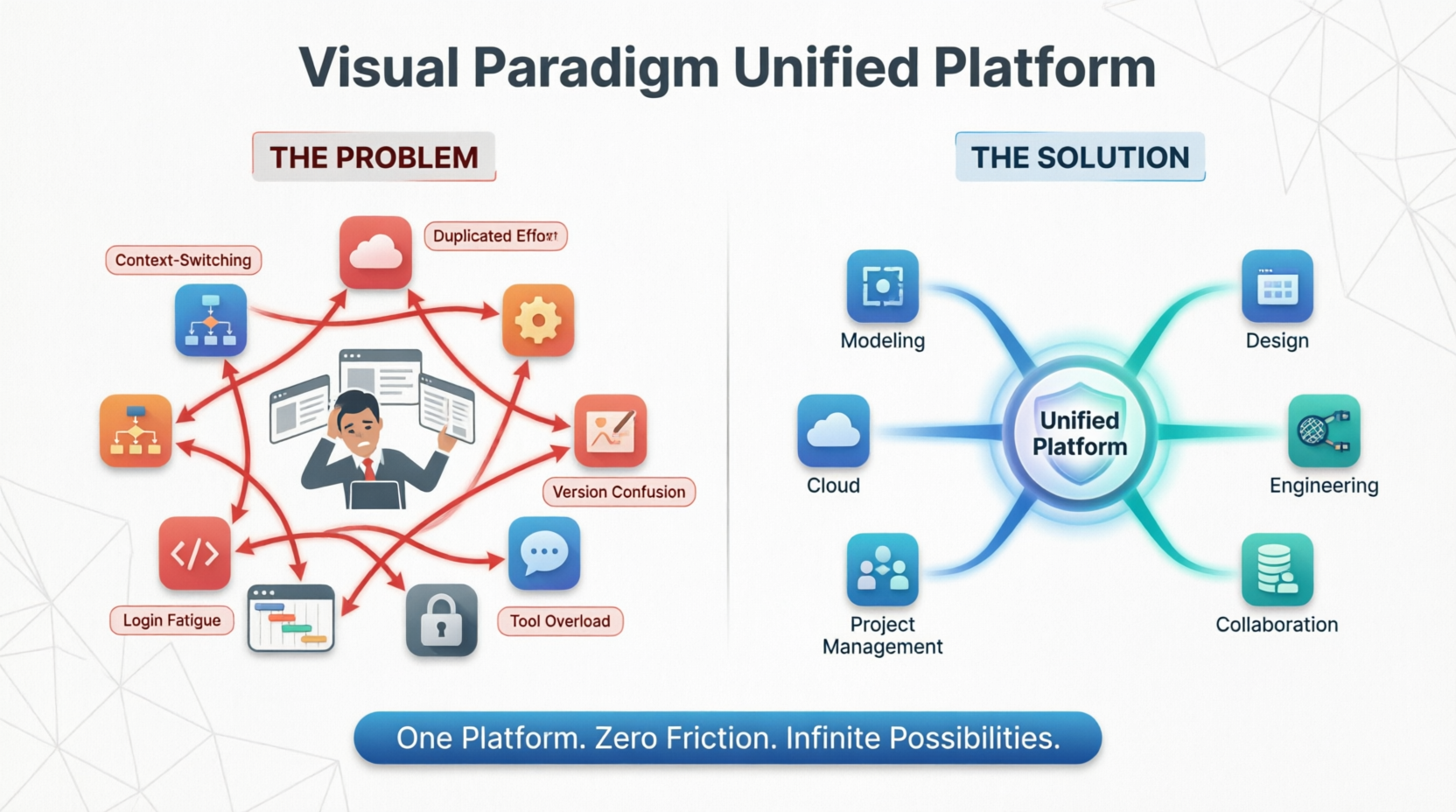
The modern professional landscape is often defined by a paradox: while the number of powerful productivity tools has never been greater, the friction of using them together has become a significant burden. Architects, product managers, designers, and engineers routinely bounce between a dozen different applications, each with its own file formats, login requirements, and learning curves. The result is a daily workflow plagued by context-switching, duplicated effort, and the constant fear that critical information is trapped in a tool you cannot currently access.
In response to this universal challenge, Visual Paradigm launched the Unified Platform, a transformative ecosystem that fundamentally reimagines how visual productivity tools should work together. Rather than adding yet another standalone application, the Unified Platform dissolves the boundaries between existing tools, creating a single, coherent environment where desktop-grade modeling power and cloud-based accessibility coexist seamlessly.
What is the Unified Platform For?
The Unified Platform serves as the Command Center for Your Entire Workflow. It is not merely a new interface or a collection of features; it is an architectural innovation that unifies resources into a single, cohesive ecosystem. Its primary purpose is to solve three critical pain points:
-
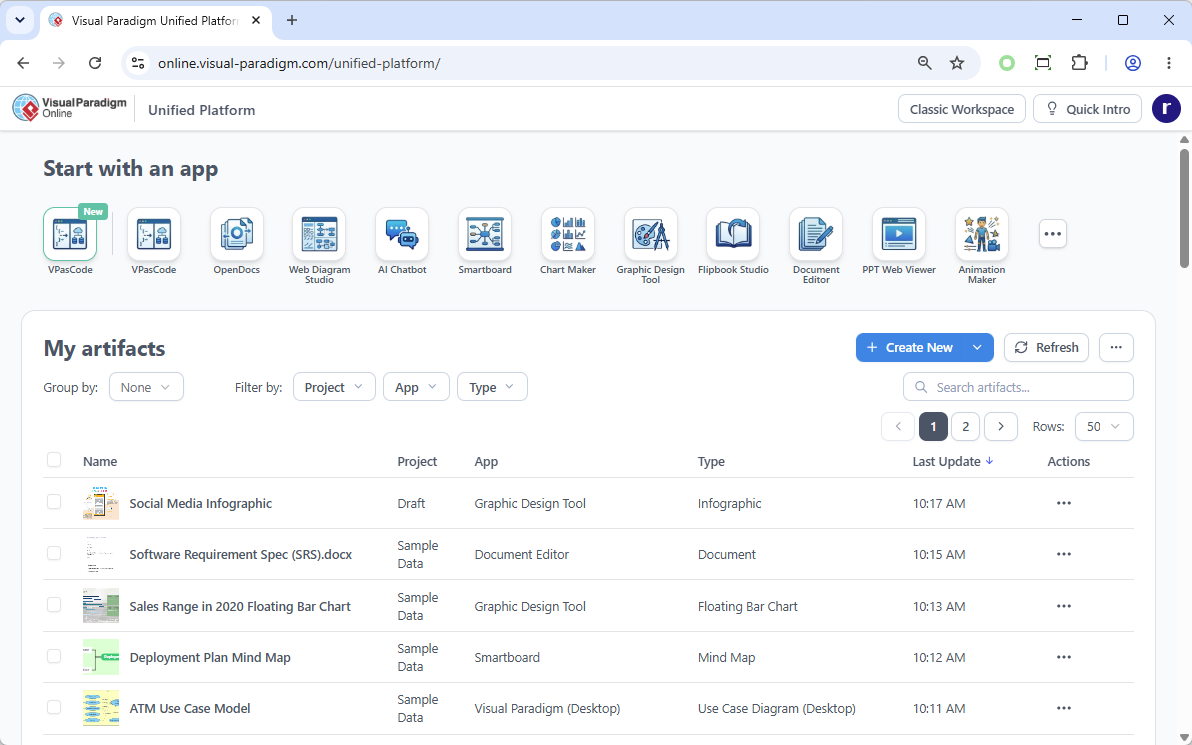
Eliminating Siloed Data: Instead of files living in isolation, the Unified Platform integrates local desktop data and cloud app data seamlessly into a single file ecosystem. Every diagram, document, project, or presentation lives in one searchable, interconnected location.
-
Consolidating Multi-App Workflows: Modern projects rarely fit neatly into a single discipline. The platform brings all workflows—software architecture, agile sprint planning, business strategy, and marketing—into a unified space, allowing teams to move fluidly between different types of work without losing context.
-
Accelerating Production via AI: The platform deeply integrates generative AI tools, enabling users to rapidly transition raw text and ideas into production-ready diagrams, presentations, and applications with minimal manual effort.
Core Concepts & Usage Cases
The platform is built on four foundational pillars, each addressing a specific dimension of modern visual productivity.
1. A Centralized Cloud Drive for All Data
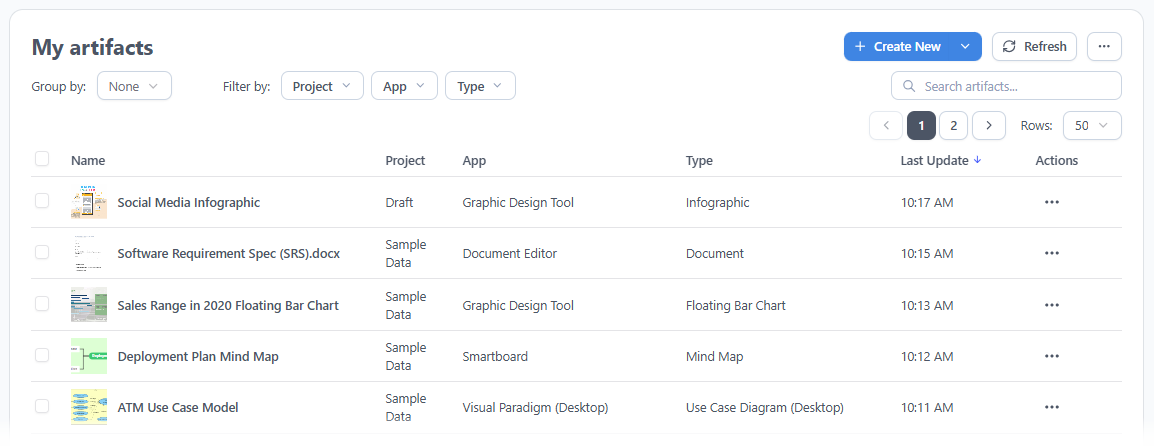
At the heart of the platform is the Unified Drive, a drive-like environment that automatically indexes and organizes every artifact created across the entire Visual Paradigm ecosystem. Whether you are working on an enterprise architecture diagram on your desktop or a project plan in the cloud, everything lives in one interconnected space. You no longer need to remember which application created which file or navigate through scattered, disjointed folders.
2. Desktop and Web Browser Synergy
For Visual Paradigm Desktop users, the Unified Platform is accessible directly inside the desktop environment via an embedded browser. This means the diagrams you build locally are now completely visible and manageable within the platform. You can log in through any external web browser on any device to access, view, and manage your desktop-synced and cloud-native assets seamlessly, bridging the gap between offline power and online collaboration.

3. A Central Entrance to 100+ Apps
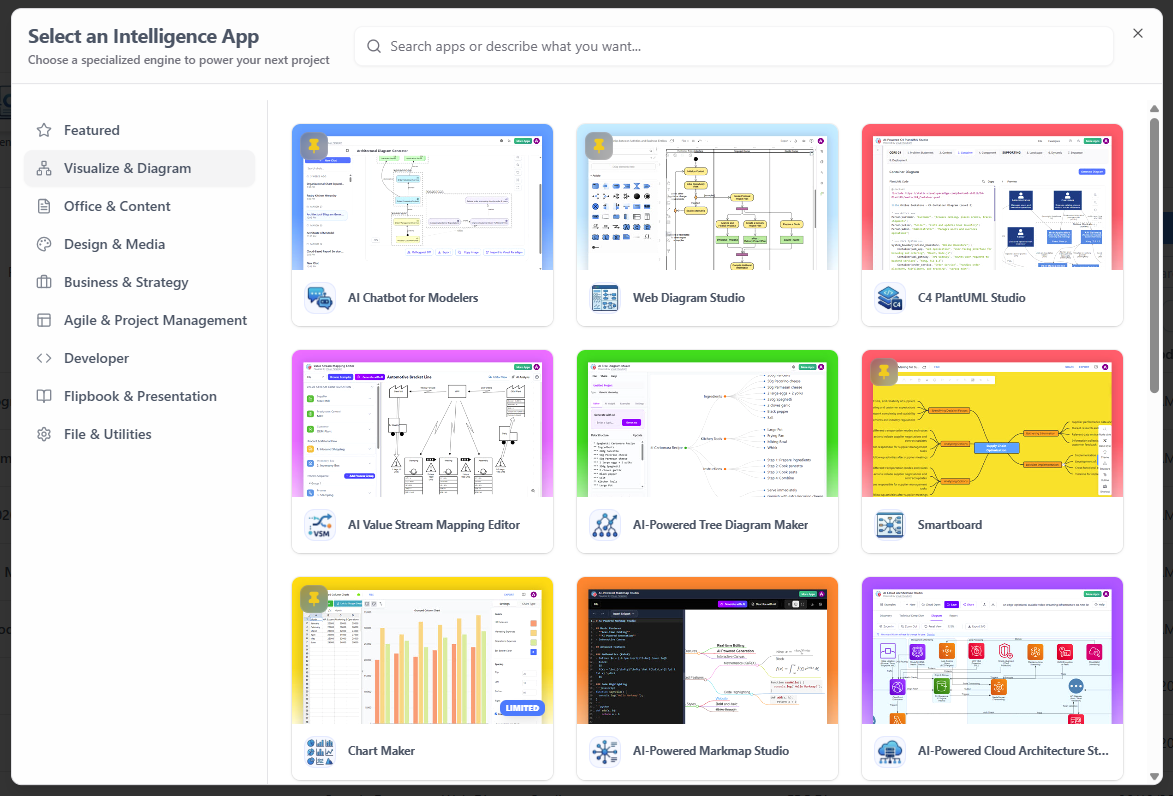
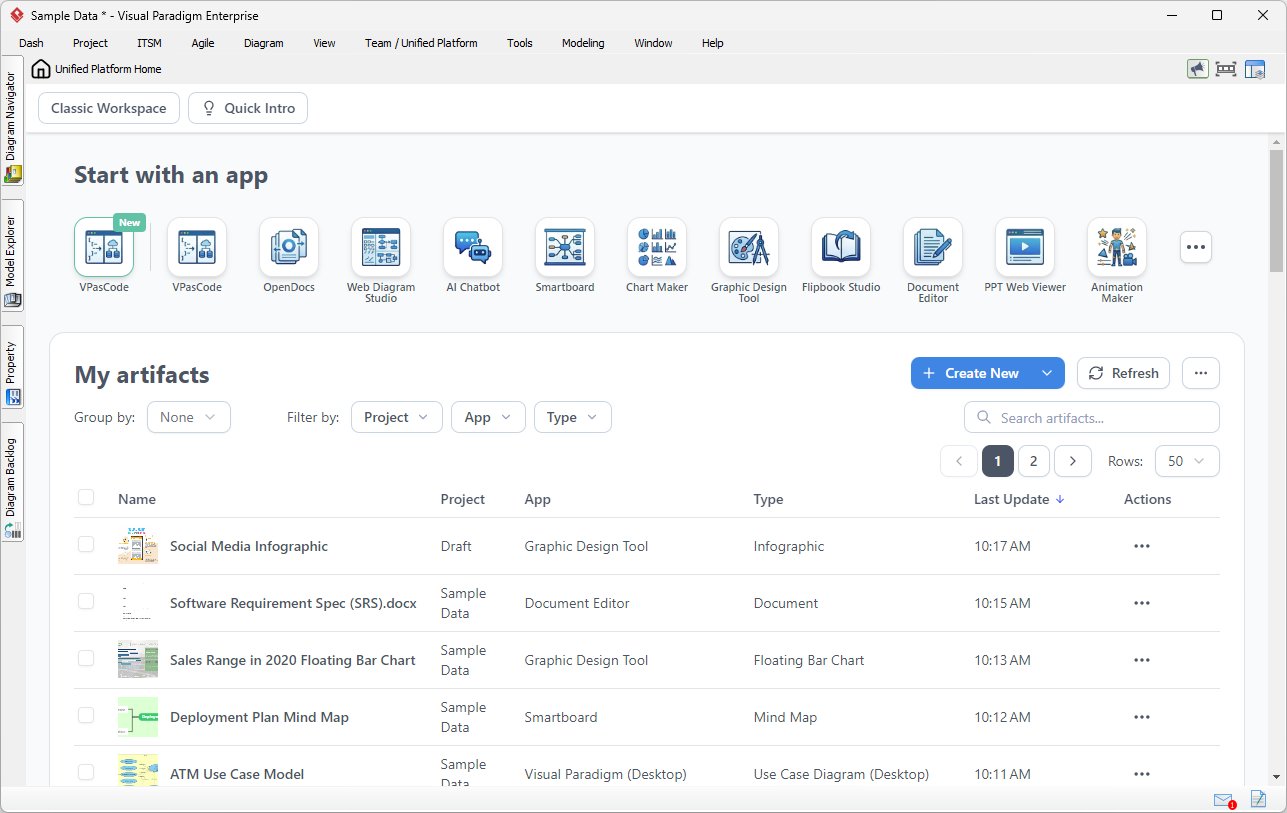
You no longer have to hunt for specific applications or manage multiple subscriptions. The Unified Platform acts as a Centralized App Launcher, providing a single, categorized dashboard to instantly launch specialized tools spanning a remarkable range of disciplines. From Agile planning and sprint management to infographics, Gantt charts, wireframing, and business process modeling, every tool is exactly one click away.
4. Real-World Scenarios: How the Platform Transforms Daily Work
The true value of the Unified Platform becomes clear when examining real-world workflows. Below are expanded scenarios demonstrating its versatility across different professional domains.
Scenario 1: Connecting Heavy System Modeling with Product Requirements
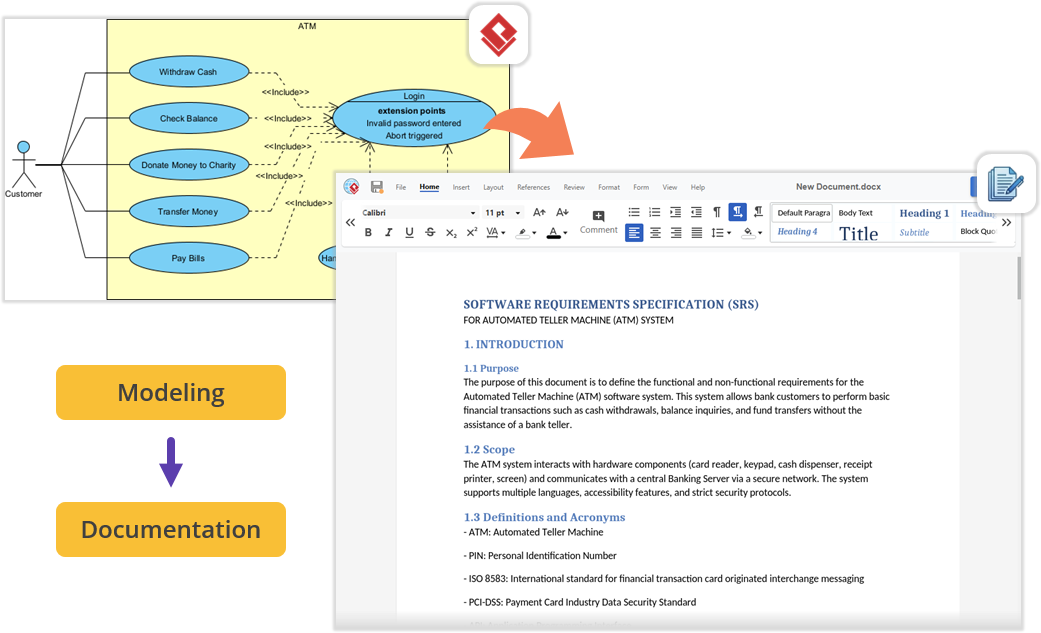
Imagine you are architecting a new software module using UML inside Visual Paradigm Desktop. Once the technical models are complete, you need to author a comprehensive Product Requirement Specification (PRD). In a traditional workflow, you would minimize the modeling tool, open a separate word processor, and manually export and import image files. With the Unified Platform, you simply open the embedded workspace and launch the Document Editor app. Your requirements documentation is written right next to your active modeling environment, with everything organized under a single project space.
Scenario 2: Effortless Documentation via Pipeline and OpenDocs
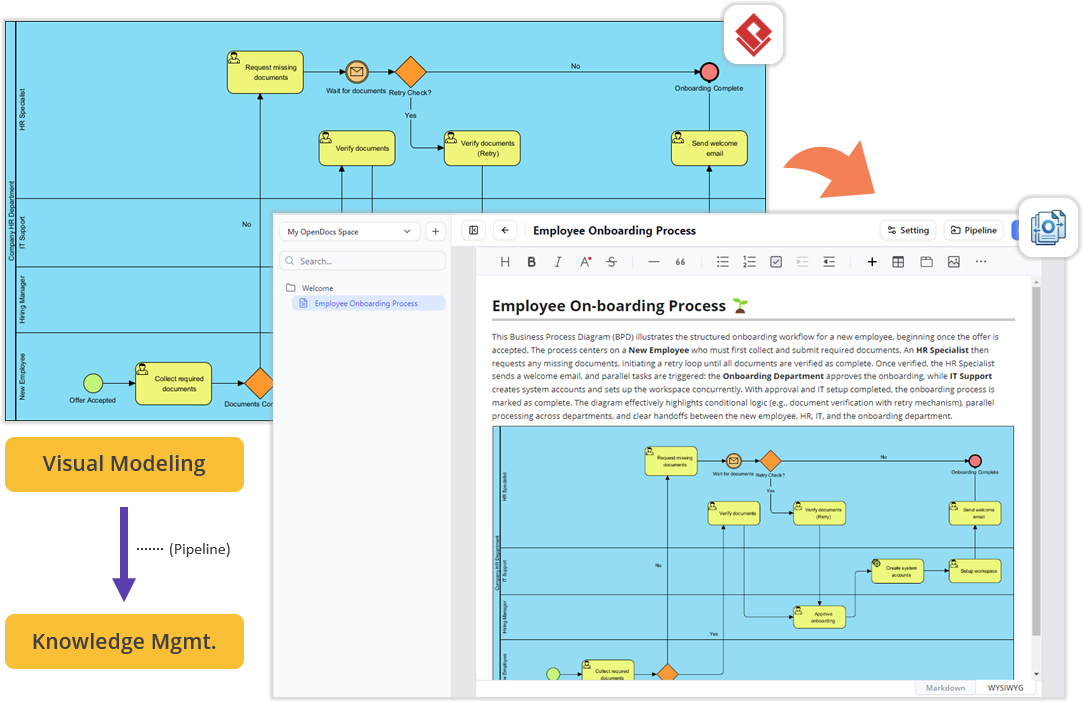
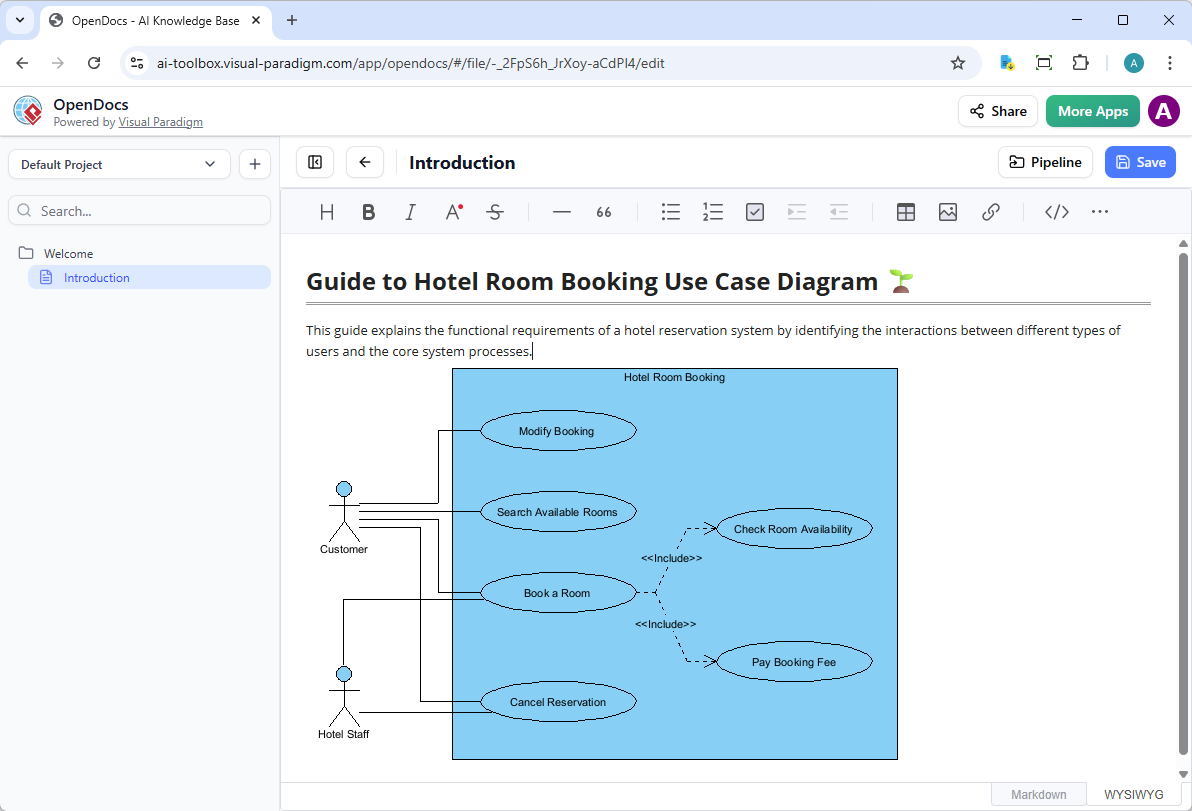
For teams producing technical documentation, the flow between the desktop workspace and cloud documentation features is now frictionless. You can build diagrams locally in VP Desktop and send them to the cloud-based Pipeline. Then, switch to the OpenDocs app within the Unified Platform panel. You can write manuals or project guides and drag-and-drop desktop-generated diagrams directly into the document canvas—no file exporting, no broken image links, and zero context-switching.
Scenario 3: Supercharge Projects with Agile and Management Tools
Software development requires far more than just architectural diagrams; it requires project management, scheduling, and team alignment. The Unified Platform instantly unlocks access to a massive library of specialized PM and Agile applications. Within the same interface where you manage your codebase models, you can now jump into apps dedicated to Stakeholder Management, generate Development Plans, build interactive Gantt Charts, map out a RACI Matrix, or even design a prototype site using the Website Builder.
Scenario 4: Bridging Enterprise Architecture and IT Service Management (ITSM)
An Enterprise Architecture team models the current-state IT infrastructure and business capabilities in VP Desktop. Instead of manually recreating this data in an ITSM tool, the architect uses the Unified Platform to seamlessly transition these models into the ITSM app. The platform maps business services directly to the underlying infrastructure components, creating a living, breathing Configuration Management Database (CMDB) without manual data re-entry or synchronization errors.
Scenario 5: Academic Research and Thesis Documentation
A university researcher creates complex system dynamics, entity-relationship, or statistical models in VP Desktop for their ongoing study. Using the Unified Platform, they launch the OpenDocs app to draft their academic thesis. They can drag and drop the live diagrams directly into the manuscript. If the research data changes, the model is updated in the desktop app, and the linked documentation in OpenDocs reflects the latest version, ensuring absolute academic rigor and consistency.
Generating and Refining with AI
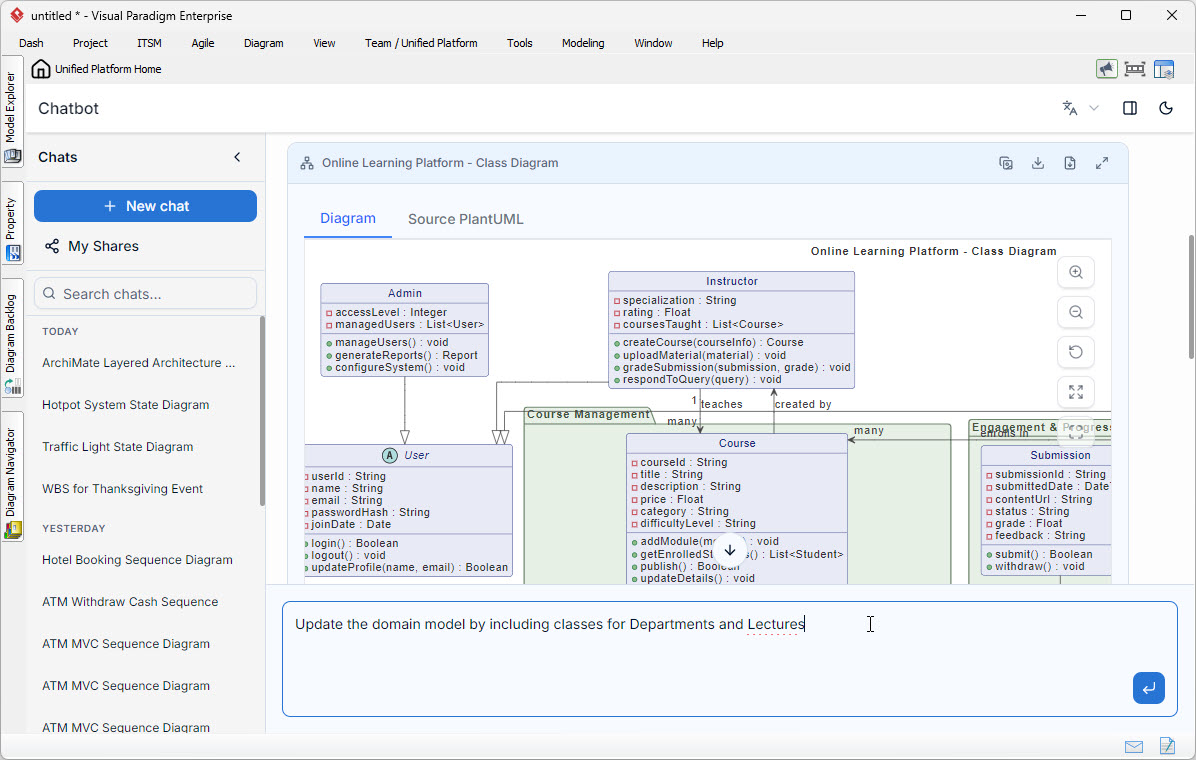
The Unified Platform is home to powerful AI tools designed to accelerate the creative process. Use the VPP Chatbot to generate complex diagrams from natural language prompts. Diagrams generated by the chatbot can be seamlessly imported into Visual Paradigm Desktop as new diagrams for further refinement, styling, and integration into larger projects. This bridges the gap between rapid, low-fidelity ideation and professional-grade, industry-standard modeling.
From Model to Live Documentation
A model’s value multiplies when it is well-documented and easily accessible to stakeholders. The Unified Platform provides direct access to OpenDocs, a powerful tool for creating rich, web-based project documentation. Create detailed diagrams in Visual Paradigm Desktop, then use the built-in pipeline to send them directly to OpenDocs. This creates a living document where your models are explained, contextualized, and published. It is the ultimate workflow for ensuring your designs are understood, maintained, and shared effectively across your entire organization.
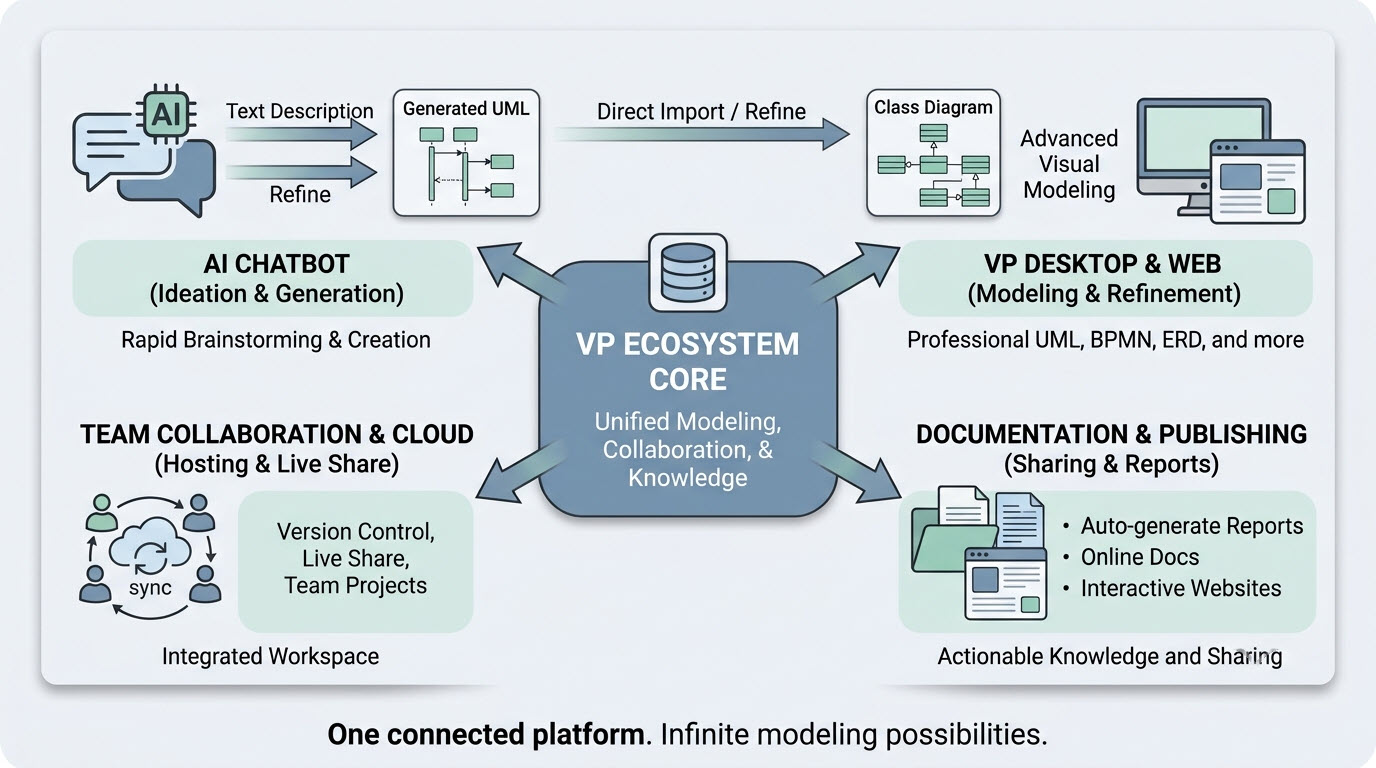
Visual Paradigm Ecosystem Overview
The platform acts as the central nervous system for the entire Visual Paradigm ecosystem. It connects the core modeling capabilities of Desktop and Web with AI assistance, documentation, and team collaboration, ensuring that all components work in harmony rather than in isolation.
How to Access the Unified Platform
Getting started is straightforward, whether you work primarily in the browser or inside the desktop application.
For Visual Paradigm Online Users
-
Log into your VP Online account.
-
Upon successful login, you will be automatically redirected to the new Unified Platform dashboard.
-
You can also bookmark and visit the platform directly at any time at
https://online.visual-paradigm.com/unified-platform/.
For Visual Paradigm Desktop Users
-
Ensure you are logged in: To see the Unified Platform menu, connect your desktop application to your cloud repository by selecting Team / Unified Platform > Select Repository and entering your VP Online credentials.
-
Open the Platform: Once logged in, navigate to Team / Unified Platform > Unified Platform in the main menu.
-
An embedded browser will open directly inside your workspace, revealing the centralized cloud drive and your entire app ecosystem.
Looking Ahead
The Unified Platform is designed as a foundation for what comes next. Centralizing data into a single hub opens the door for upcoming features that will allow different applications to leverage cross-source data seamlessly. Visual Paradigm is also preparing to introduce an advanced “Project” concept that will provide unified, granular permission control over work created across all applications.
As AI capabilities continue to mature, the platform is positioned to become an increasingly intelligent collaborator—anticipating user needs, automating routine visual tasks, and further narrowing the gap between initial thought and final deliverable.
VP Unified Platform Reference
- Announcing the All-New Visual Paradigm Unified Platform: Official announcement detailing the launch and core philosophy of the platform.
- Mastering the Visual Paradigm Unified Platform: Comprehensive guide exploring features and practical usage scenarios.
- Visual Paradigm Unified Platform: Quick Introduction: Beginner-friendly introduction to accessing and using the platform.
- Unified Platform: Project Management UI Enhancements: Updates on project management interface improvements and new features.
- What is the Unified Platform in Visual Paradigm?: Official product page explaining the platform’s role and capabilities.
- Ultimate Guide to a Seamless Creative Ecosystem: Deep dive into how the platform unifies desktop and cloud workflows.
- Introducing Visual Paradigm 18.1: A New Era of Unified Ecosystems: Overview of version 18.1’s unified ecosystem and AI-driven innovation.
- Visual Paradigm Desktop Product Updates: Latest updates and enhancements specifically for desktop application integration.
- Visual Paradigm Updates Hub: Central repository for all release notes and product updates regarding the platform.
- Visual Paradigm Online: Unified Platform: Direct access to the cloud-based entry point for the Unified Platform experience.