
Introduction
Projects often lose momentum when requirements, diagrams, designs, implementation notes, and documentation live in separate tools. Teams end up duplicating information, missing changes, and debating which version is current.
The Visual Paradigm Unified Platform brings these artifacts into a connected project workspace. Its central idea is simple: link the reason for a project to what the team specifies, models, designs, builds, tests, and documents. The goal is not simply to collect many tools in one place, but to make the relationships between project artifacts visible and useful.
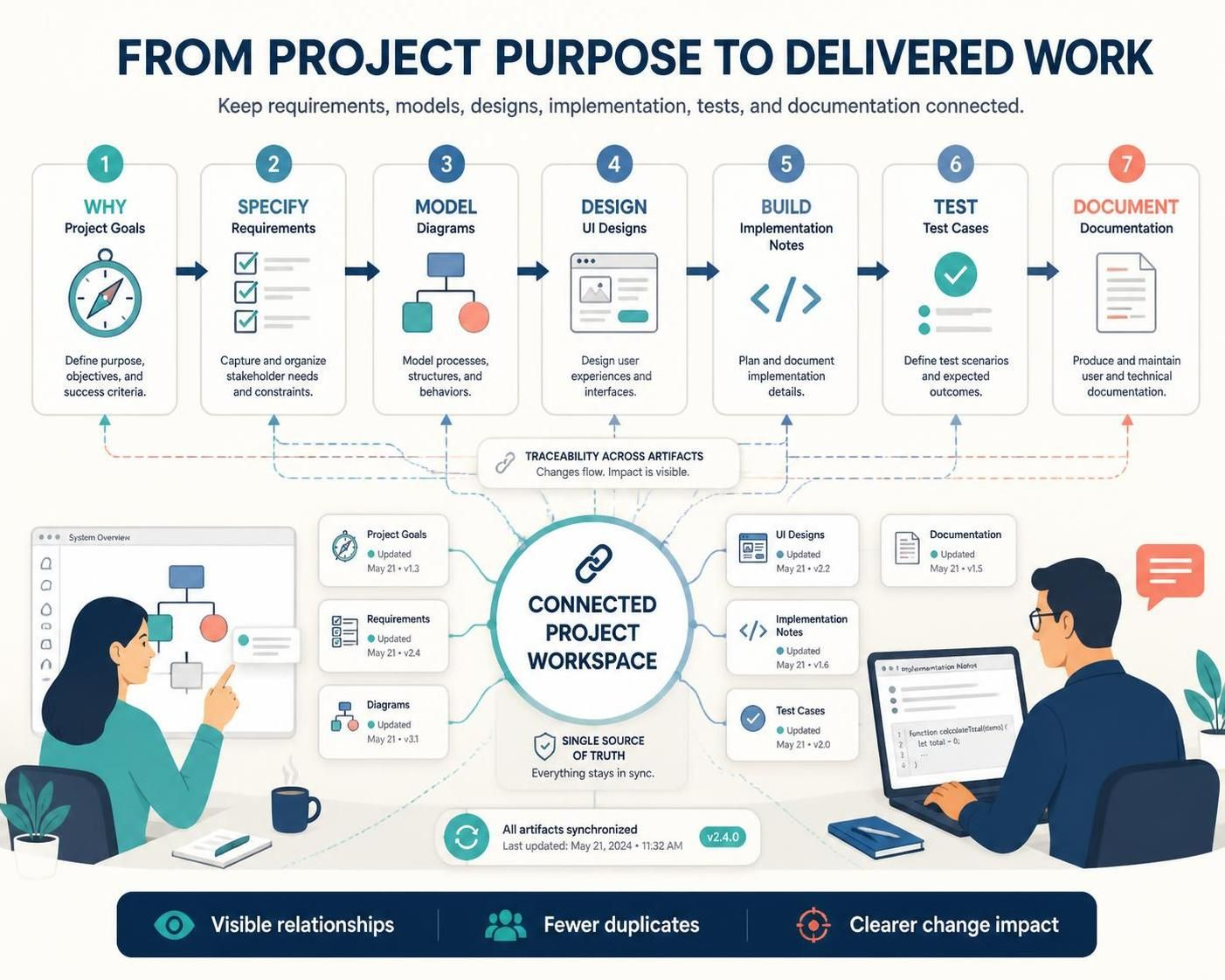
This guide explains the platform’s key concepts, shows how to apply them in practice, and uses a business process example to illustrate how BPMN and AI-assisted work can support the lifecycle.
The Unified Platform in Brief
A unified platform supports a project’s lifecycle in a shared environment. Project artifacts may include business goals, requirements, user stories, process models, UML diagrams, database designs, interface prototypes, implementation references, tests, and documentation.
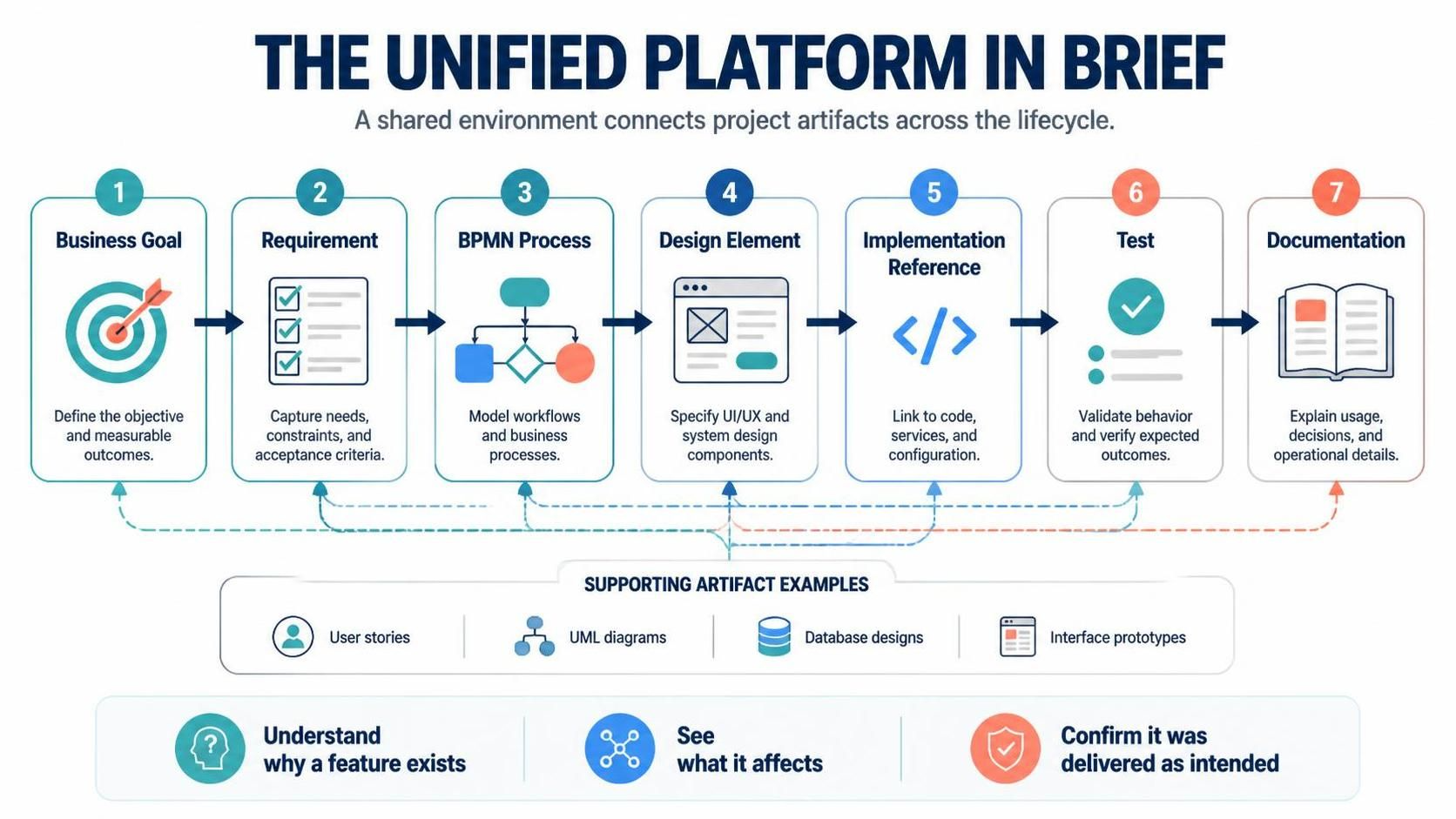
The value comes from connecting those artifacts. For example:
Business goal → Requirement → BPMN process → Design element → Implementation reference → Test → Documentation
With these links, teams can better understand why a feature exists, what it affects, and whether it has been delivered as intended.
Key Concepts
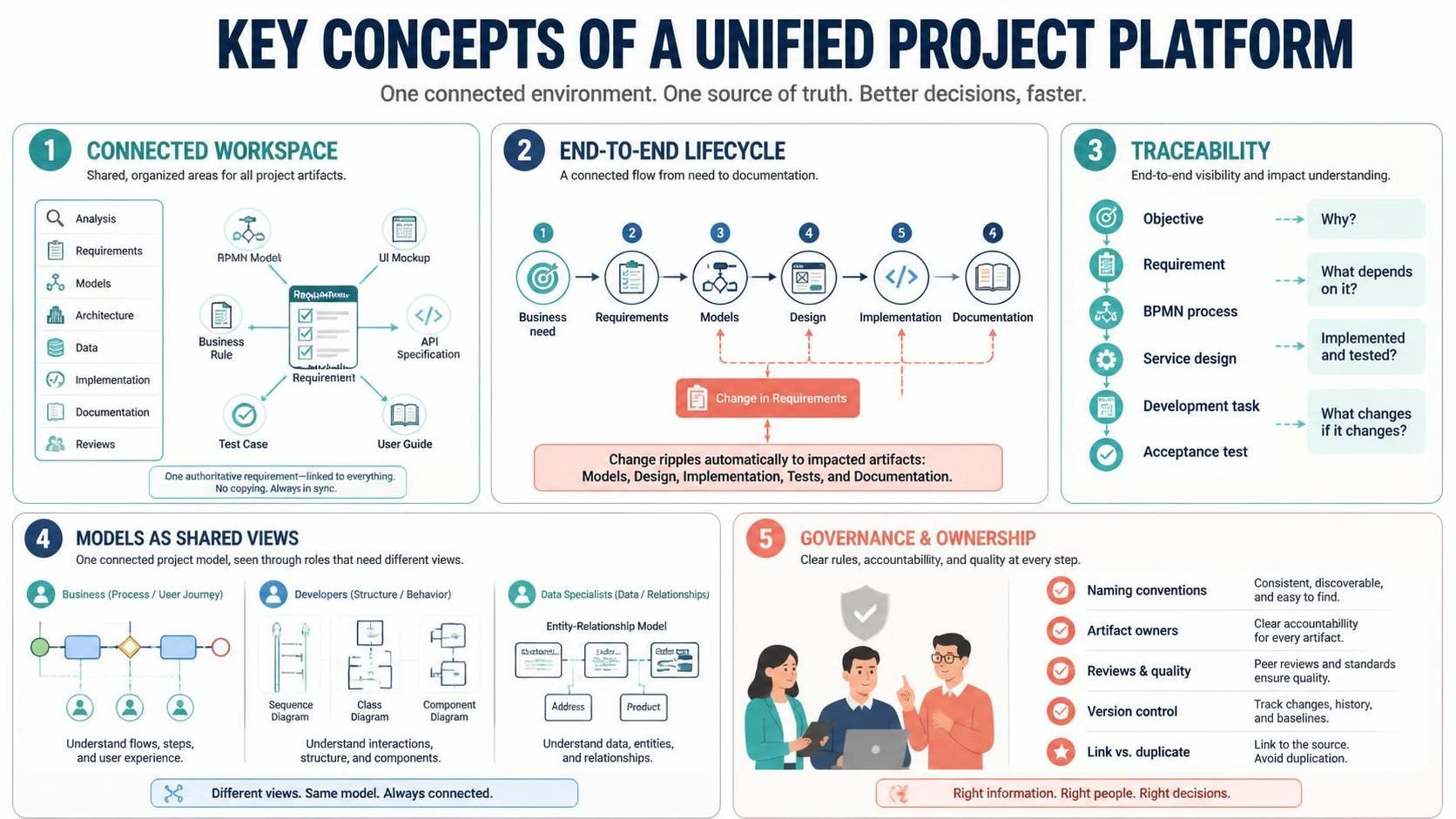
1. A connected project workspace
A shared workspace helps teams find and maintain project information without relying on scattered files and unofficial copies. Use a consistent structure for areas such as business analysis, requirements, models, architecture, data, implementation references, documentation, and reviews.
Example: Instead of copying a requirement into a spreadsheet, a diagram, and a separate report, maintain one authoritative requirement and link the related artifacts to it.
2. End-to-end lifecycle management
Project work typically moves through six connected stages:
-
Business need: Describe the problem, opportunity, or desired outcome.
-
Requirements: Define what users and systems need to do, including constraints and acceptance criteria.
-
Models: Represent processes, behaviors, data, or system structure.
-
Design: Define the solution’s architecture, interfaces, workflows, and other details.
-
Implementation: Build or configure the solution.
-
Documentation: Capture information for reviews, operation, maintenance, and compliance.
These stages should inform one another. A requirement change may affect a process model, design, test, and document—not just the requirements list.
3. Traceability
Traceability means being able to follow how artifacts relate across the lifecycle. It helps teams answer questions such as:
-
Which business objective does this requirement support?
-
Which process or design elements depend on it?
-
Has it been implemented and tested?
-
What needs review if it changes?
A simple chain might be:
Objective → Requirement → BPMN process → Service design → Development task → Acceptance test
4. Models as shared views
Different stakeholders need different ways to understand a project. Business teams may prefer process diagrams and user journeys; developers may need sequence, class, or component diagrams; data specialists may use entity-relationship models.
Connected models let teams work from related project information without forcing every stakeholder to use the same view.
5. Governance and ownership
A platform cannot make project information reliable by itself. Teams still need naming conventions, artifact owners, review practices, version controls, and decisions about what information should be linked rather than duplicated.
A Practical Example: Automating an Approval Process
Imagine an organization wants to reduce the time it takes to approve employee expenses.
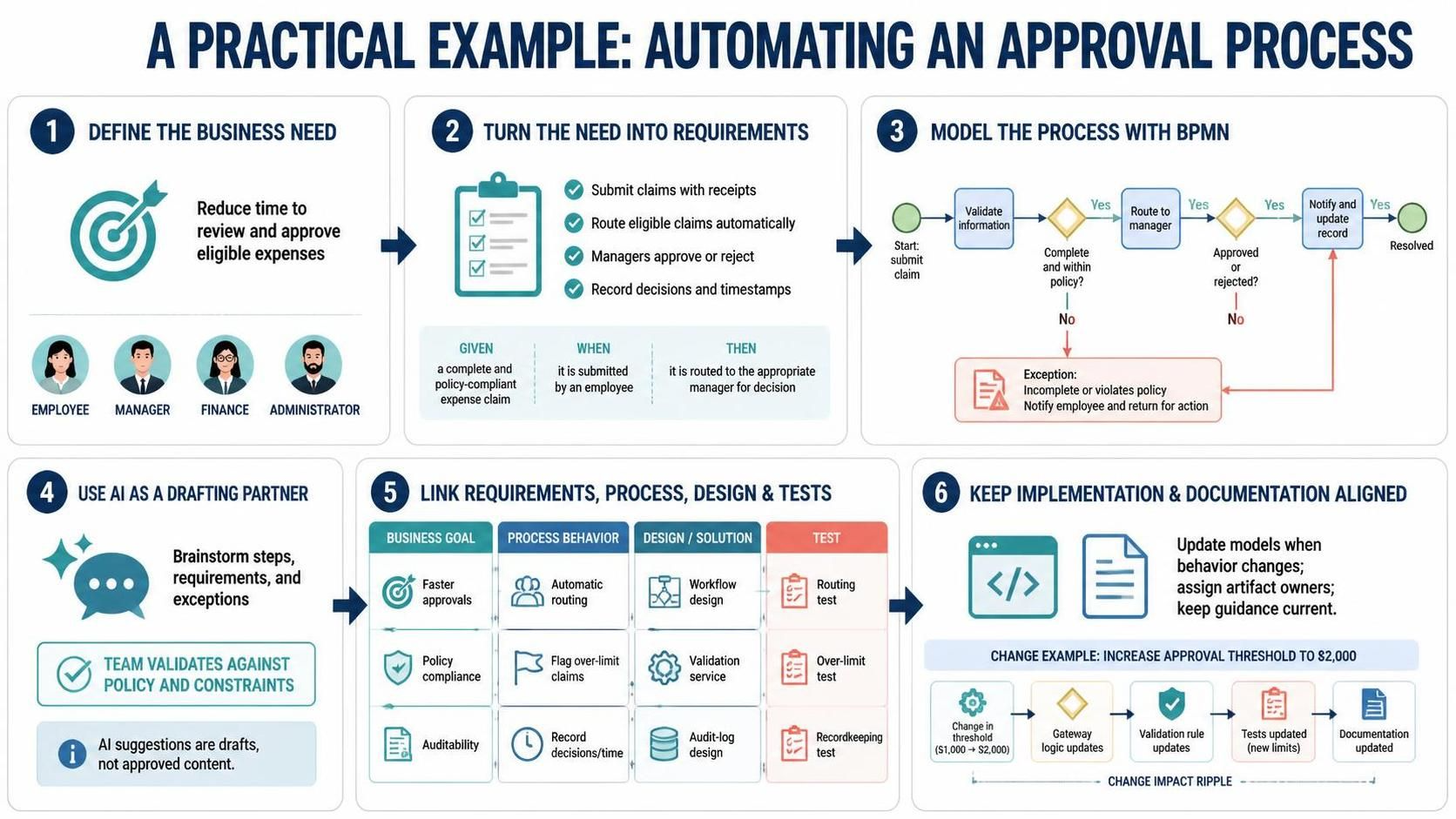
Step 1: Define the business need
Write the desired outcome in business terms:
Reduce the time required to review and approve eligible employee expenses.
Identify stakeholders, such as employees, managers, finance staff, and system administrators. Define the project’s scope—for example, whether the work includes policy changes, software changes, or both.
Step 2: Turn the need into requirements
Create requirements that are clear enough to review and test. For example:
-
Employees can submit an expense claim with receipts.
-
Claims that meet policy rules can be routed automatically.
-
Managers can approve or reject assigned claims.
-
Finance staff can review exceptions.
-
The system records each decision and its timestamp.
Add acceptance criteria where possible. For instance: “Given a complete claim within the employee’s spending limit, when it is submitted, then it is routed to the employee’s manager.”
Step 3: Model the process with BPMN
Use Visual Paradigm BPMN to map the current process or proposed workflow. A basic process might include:
-
Start event: Employee submits a claim.
-
Task: Validate required information.
-
Gateway: Is the claim complete and within policy?
-
Task: Route eligible claims to a manager.
-
Gateway: Approved or rejected?
-
Task: Send the decision and update the claim record.
-
End event: Claim is resolved.
The BPMN model gives business and technical participants a shared view of the workflow. It can also reveal unclear responsibilities, missing exception paths, or unnecessary handoffs.
Step 4: Use AI assistance as a drafting partner
AI-assisted features can help teams brainstorm process steps, turn notes into draft requirements, suggest possible exceptions, or explain a diagram in plain language. Treat the output as a starting point—not as approved project content.
For example, a prompt might be:
“Suggest exception paths for an employee expense approval process, including incomplete receipts, policy violations, and manager unavailability.”
The team should check suggestions against actual policy, stakeholder needs, and system constraints before adding them to the model or requirements.
Step 5: Link requirements, process, design, and tests
Connect each requirement to the relevant BPMN activity or decision, then relate those to design and verification artifacts. For example:
| Business objective | Requirement | Model or design | Verification |
|---|---|---|---|
| Reduce approval delays | Route eligible claims to managers | BPMN routing flow and workflow design | Acceptance test for correct routing |
| Improve policy compliance | Flag claims that exceed limits | BPMN policy gateway and validation service | Test for over-limit claims |
| Improve auditability | Record decisions and timestamps | Data model and audit-log design | Test that decisions are recorded |
This makes it easier to assess impact if a policy changes. If the approval threshold changes, the team can identify the affected gateway, validation rule, test cases, and documentation.
Step 6: Keep implementation and documentation aligned
As the workflow is built, update relevant models when significant behavior changes. Use current project information to prepare specifications, reports, or operational guidance where supported. Assign owners to important artifacts so generated or assembled documents do not rely on stale inputs.
A Suggested Workflow in Visual Paradigm
-
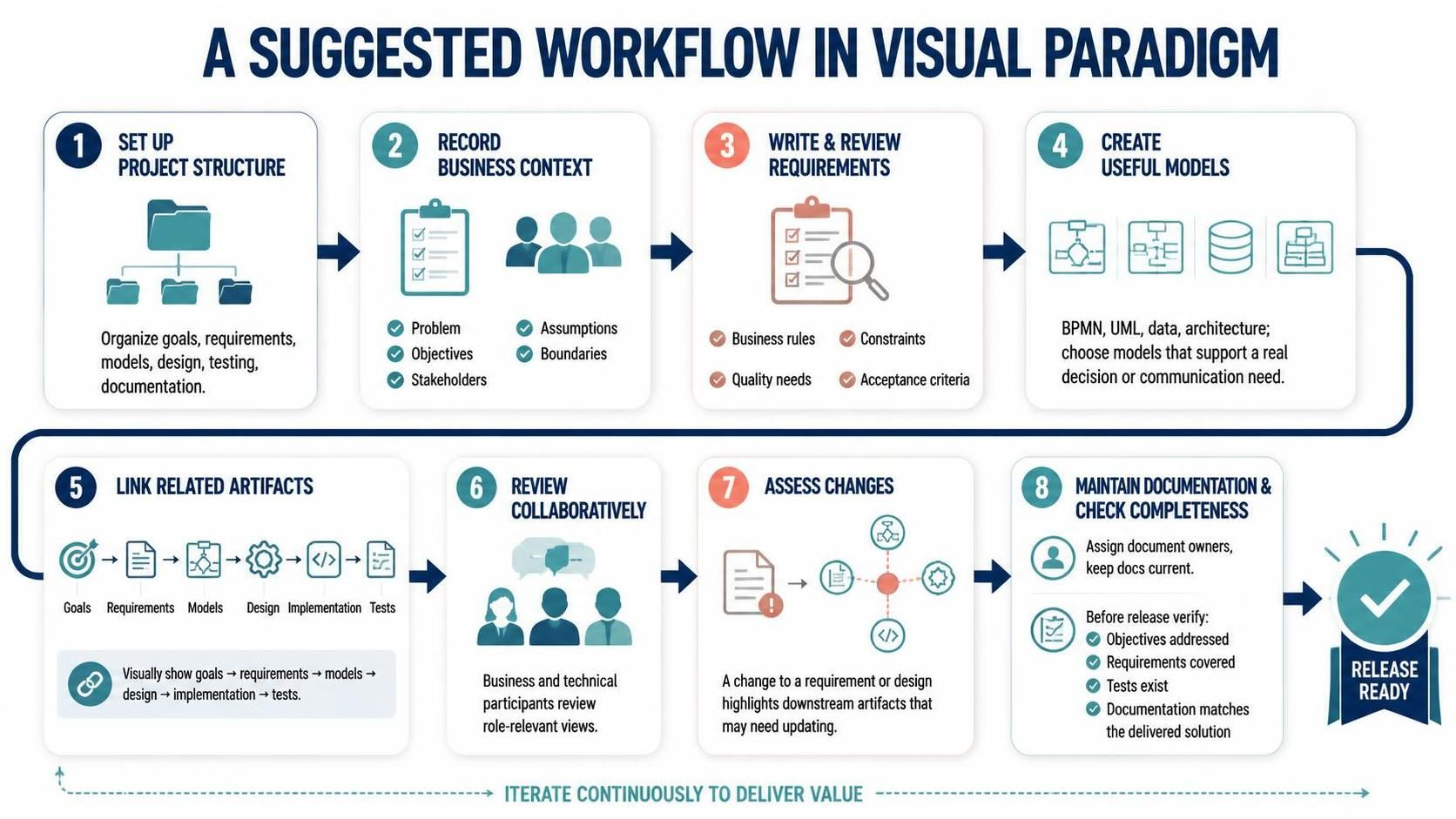
Set up the project structure. Create areas for goals, requirements, models, design, testing, and documentation.
-
Record the business context. Capture the problem, objectives, stakeholders, assumptions, and boundaries.
-
Write and review requirements. Include business rules, quality needs, constraints, and acceptance criteria.
-
Create useful models. Choose BPMN, UML, data, or architecture models that support a real decision or communication need.
-
Link related artifacts. Connect goals to requirements, requirements to models, and models to design, implementation, and tests.
-
Review collaboratively. Invite business and technical participants to review the views relevant to their roles.
-
Assess changes. When a requirement or design changes, identify downstream artifacts that may need updating.
-
Maintain documentation. Assign owners and keep documents aligned with current project information.
-
Check completeness before release. Confirm that objectives are addressed, requirements are covered, tests exist, and documentation reflects the delivered solution.
Practical Tips
-
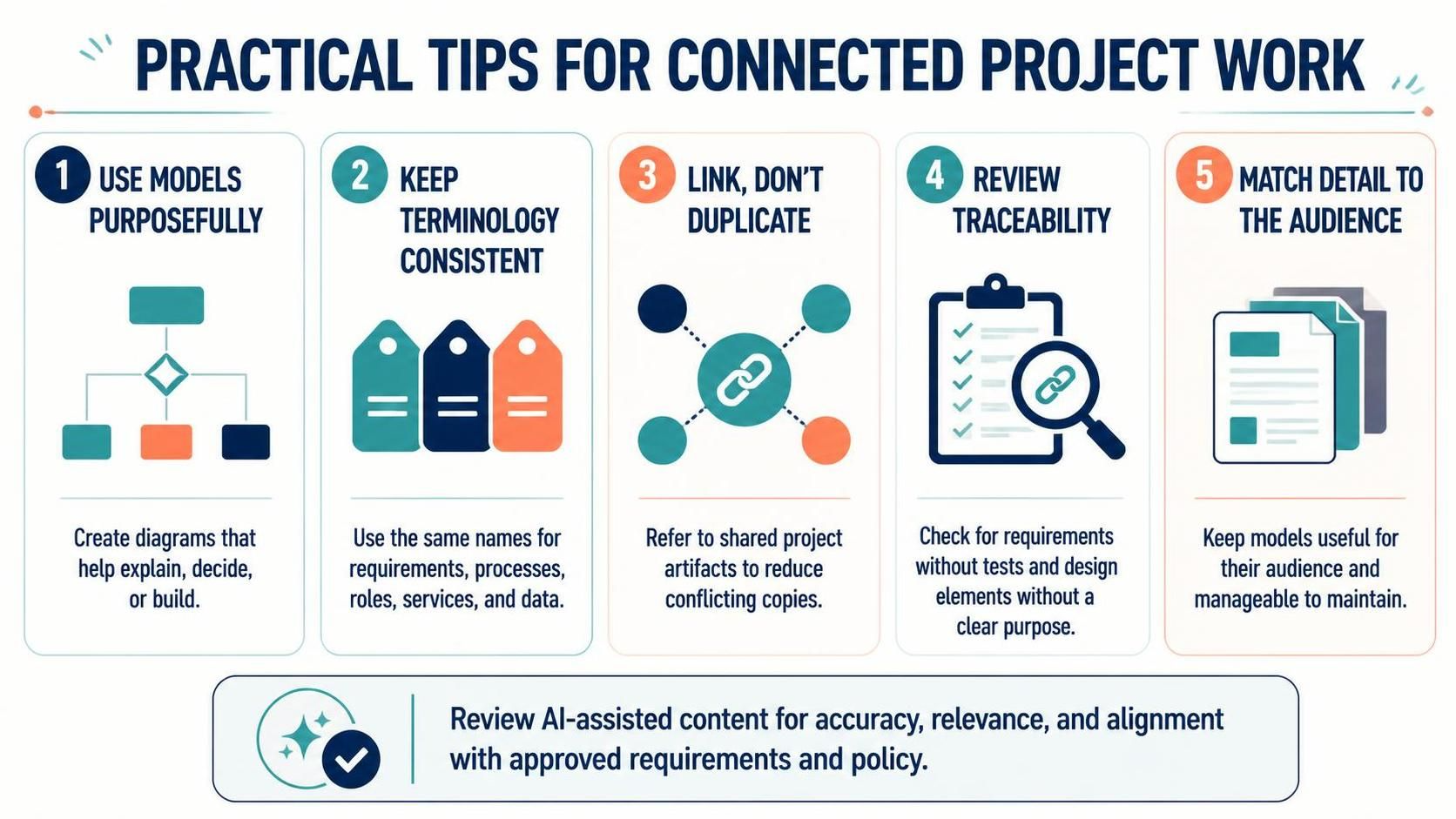
Use models purposefully. Avoid diagrams that do not help explain, decide, or build something.
-
Keep terminology consistent. Use the same names for requirements, processes, roles, services, and data across artifacts.
-
Link rather than duplicate. Reduce conflicting copies by referring to shared project artifacts.
-
Review traceability, don’t assume it. Periodically check for requirements without tests or design elements without a clear purpose.
-
Keep the right level of detail. A model should be useful to its audience and manageable to maintain.
-
Review AI-assisted content. Confirm that generated suggestions are accurate, relevant, and consistent with approved requirements and policy.
Conclusion
The Visual Paradigm Unified Platform is most useful when teams treat it as a connected way of working—not merely a place to draw diagrams. Linking business needs, requirements, BPMN and other models, design, implementation references, tests, and documentation helps preserve context throughout a project.
Start with a real business objective, model the process or system only as much as needed, and connect the resulting artifacts. With clear ownership and regular reviews, teams can make changes more deliberately, collaborate across roles, and keep project knowledge more consistent from initial need through delivery.
