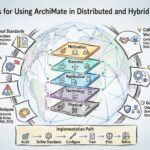
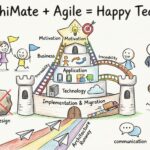
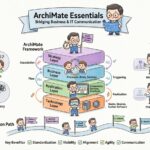
Enterprise architecture is the discipline of designing, planning, and managing an organization’s structure, information systems, and processes. To communicate these complex designs effectively, professionals require a standardized language. ArchiMate serves as this universal framework. It allows architects to visualize, analyze, and describe business strategies and IT landscapes in a structured manner. This guide explores the core concepts, layering structures, and relationship semantics necessary to build a solid foundation in enterprise architecture modeling.
🧩 Understanding the Architecture Framework
Before constructing a model, one must understand the philosophy behind the notation. ArchiMate is not merely a drawing tool; it is a modeling language. It separates concerns through layers and domains, ensuring clarity in communication between stakeholders. Whether you are a business analyst, a software architect, or a system designer, this framework provides the vocabulary to align technical capabilities with business goals.
The notation is based on the Open Group standards. It is designed to be flexible enough to model various aspects of an enterprise without becoming overly complex. The core value lies in the ability to link strategy directly to execution. By using ArchiMate, teams can trace how a specific technology change impacts a business process or a strategic goal.
🏗️ The Core Structure: Layers and Domains
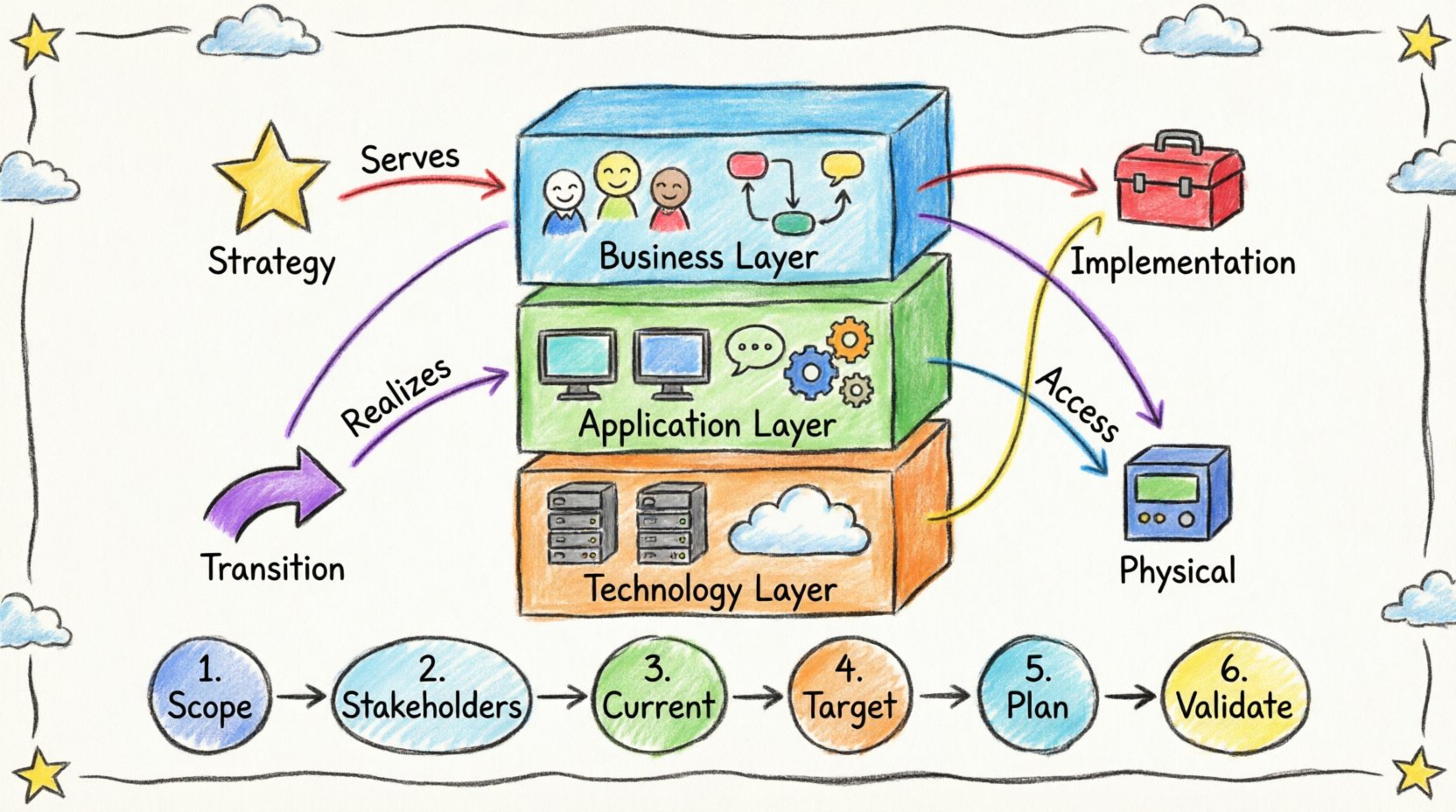
The architecture is organized into a matrix of layers and domains. Understanding this grid is the first step in any modeling activity. The layers represent the “what” and “how” of the system, while the domains represent the “why” and “when”.
📚 The Three Core Layers
The most fundamental division in ArchiMate is the stratification into three primary layers. These layers help segregate concerns and prevent clutter in a model.
- Business Layer: This layer describes the business organization and its activities. It includes actors, roles, processes, and functions. It answers the question: “What does the business do?”
- Application Layer: This layer describes the application software that supports the business processes. It includes application components, services, and interfaces. It answers the question: “Which software supports the business?”
- Technology Layer: This layer describes the hardware and software infrastructure. It includes hardware nodes, system software, and networks. It answers the question: “Where does the software run?”
These layers are often stacked vertically, showing dependencies. A technology node hosts an application component, which executes a business process. This vertical alignment is crucial for impact analysis.
🎯 The Four Domains
While layers define the structural components, domains define the scope and intent of the view. These domains provide context for the models.
- Strategy: Deals with high-level goals, principles, and drivers. It sets the direction for the enterprise.
- Implementation: Concerns the planning and execution of changes. It bridges the gap between current state and target state.
- Transition: Focuses on the movement from one state to another. It manages the change process.
- Physical: Deals with the actual hardware and physical infrastructure, often used in conjunction with the Technology Layer.
| Domain | Focus Area | Example Element |
|---|---|---|
| Strategy | Goals & Principles | Strategic Goal |
| Implementation | Projects & Work Packages | Work Package |
| Transition | Migration & Change | Implementation Event |
| Physical | Hardware & Location | Device |
🔗 Relationships and Semantics
A model without relationships is just a collection of shapes. Relationships define the logic and flow within the architecture. They are the glue that holds the elements together. There are two main categories: structural relationships and behavioral relationships.
🔗 Structural Relationships
These describe how elements are connected statically.
- Assignment: An element is assigned to another. For example, a Role is assigned to an Actor, or a Business Process is assigned to a Business Service.
- Association: A generic link between elements. It implies a connection but does not define the direction or nature of interaction. It is often used for non-specific relationships.
- Realization: One element implements or realizes another. A Business Process realizes a Business Service. An Application Component realizes an Application Function.
- Aggregation: A part-of relationship. An Application Component is part of a larger Application Portfolio.
🔗 Behavioral Relationships
These describe interactions and flows over time.
- Access: One element accesses another. An Application Function accesses an Application Data Object.
- Flow: Data or objects flow from one element to another. This is common in process modeling.
- Serving: A service is served by a function. A Business Service is served by a Business Process.
- Trigger: One event triggers another. An Implementation Event triggers a Change Object.
Understanding the directionality of these arrows is vital. A mistake in arrow direction can completely alter the meaning of the model. Always verify that the relationship matches the semantic definition of the elements involved.
🚀 Step-by-Step Modeling Process
Building a model requires a systematic approach. There is no single correct way to start, but a logical progression ensures consistency and clarity. Follow these steps to begin your architectural work.
1️⃣ Define the Scope and Context
Before drawing any shapes, identify what you are modeling. Is this a view of the entire enterprise? Is it a specific department? Is it a single application migration? Defining the scope prevents scope creep and keeps the model focused. Determine which layers are relevant. If you are modeling a database migration, the Business Layer may be less critical than the Technology Layer.
2️⃣ Identify Key Stakeholders
Who will read this model? Executives need high-level views focusing on Strategy and Business Layers. Developers need detailed views focusing on Application and Technology Layers. Tailor the depth of detail to the audience. Avoid showing every single data point to a board member; they need the strategic implications.
3️⃣ Establish the Current State
Document the “As-Is” architecture. This involves identifying existing processes, applications, and infrastructure. Use the core layers to categorize these elements. Ensure that relationships are defined accurately. If an application supports a process, draw the “Serving” relationship. This baseline is essential for understanding the impact of future changes.
4️⃣ Define the Target State
What does the organization look like after the change? This is the “To-Be” architecture. It should align with strategic goals. Introduce new elements and remove obsolete ones. The difference between the As-Is and To-Be states defines the transition requirements.
5️⃣ Plan the Transition
How do we get from the current state to the target state? This involves creating a roadmap. Define work packages and implementation events. Map the dependencies between these packages. This step ensures that the transition is feasible and prioritized correctly.
6️⃣ Validate and Review
Review the model with stakeholders. Check for semantic errors. Are the relationships logical? Is the terminology consistent? Validation is not just about syntax; it is about meaning. A model that looks correct but describes an impossible flow is useless.
📝 Best Practices for Clean Models
To maintain the integrity of your architecture documentation, adhere to established conventions. Consistency makes the model readable and maintainable.
- Use Consistent Naming: Ensure that element names are unique and descriptive. Avoid abbreviations unless they are universally understood within the organization.
- Limit Layer Crossings: Keep relationships within layers where possible. Crossing layers (e.g., a Business Process directly accessing a Technology Node) should be rare and clearly justified.
- Group Related Elements: Use views to group related elements together. A view is a subset of the model designed for a specific purpose. Do not dump the entire enterprise model into a single diagram.
- Document Assumptions: If a relationship is implied but not explicitly modeled, document this assumption in the model notes.
- Version Control: Treat your models like code. Keep track of changes over time. This allows you to revert if a change introduces errors.
⚠️ Common Pitfalls to Avoid
New practitioners often fall into traps that reduce the value of the model. Awareness of these common errors helps maintain quality.
- Over-complication: Trying to model every single detail in one view. This leads to clutter and confusion. Start high-level and drill down only as needed.
- Ignoring the Domain: Focusing only on the layers and forgetting the domain context. A Business Process in the Strategy domain has a different meaning than one in the Implementation domain.
- Incorrect Relationship Types: Using “Association” when “Realization” is required. Semantics matter. A misunderstanding here leads to incorrect impact analysis.
- Static Data: Creating a model that is never updated. An architecture model becomes obsolete quickly if the enterprise changes. Regular reviews are mandatory.
- Lack of Context: Presenting a diagram without explaining what it represents. Always provide a title, legend, and context description.
🔍 Deep Dive: Layer Specifics
To truly master the framework, one must understand the specific elements available in each layer.
Business Layer Elements
- Actor: A person or organization that performs activities (e.g., Customer, Manager).
- Role: A collection of responsibilities assigned to an actor (e.g., Administrator).
- Business Process: A structured set of activities (e.g., Order Processing).
- Business Service: A service offered to a stakeholder (e.g., Payment Service).
- Business Object: A thing that is relevant to the business (e.g., Invoice, Product).
Application Layer Elements
- Application Component: A software module (e.g., Order Management System).
- Application Function: A behavior provided by a component (e.g., Validate Order).
- Application Service: A service provided by the application (e.g., Authentication Service).
- Application Interface: A point of interaction between components.
- Application Data Object: Data stored or manipulated by the application.
Technology Layer Elements
- Node: A computational resource (e.g., Server, Database).
- Device: A physical device (e.g., Laptop, Router).
- System Software: Software that manages the hardware (e.g., Operating System).
- Network: Communication infrastructure (e.g., LAN, WAN).
- Artifact: A physical representation of software (e.g., JAR file, Executable).
🔄 Maintaining the Architecture
Architecture is not a one-time activity. It is a living discipline. Once the model is established, it requires maintenance to remain relevant. This involves regular synchronization with project teams and operational data.
When a new project is initiated, the architect should update the model to reflect the planned changes. When a project is completed, the model should be updated to reflect the actual implementation. This feedback loop ensures that the architecture remains a true reflection of the enterprise.
📊 Summary of Key Concepts
ArchiMate provides a structured way to describe enterprise architecture. It relies on a matrix of layers and domains to organize information. The three core layers—Business, Application, and Technology—form the backbone of most models. Relationships define how these elements interact, using specific semantics like Serving, Realization, and Access.
Successful modeling requires a disciplined approach. Start by defining the scope and stakeholders. Build the current state, then the target state, and finally the transition plan. Maintain consistency in naming and relationships. Avoid common pitfalls like over-complication and static documentation. By following these principles, architects can create valuable models that drive alignment between business and technology.
The framework is versatile. It supports strategy, implementation, transition, and physical views. By understanding the depth of each layer and the precision of each relationship, you can construct models that are not just diagrams, but actionable blueprints for organizational success.