
The Anatomy of BPMN Connectivity: Mastering Sequence Flows, Message Flows, and Associations
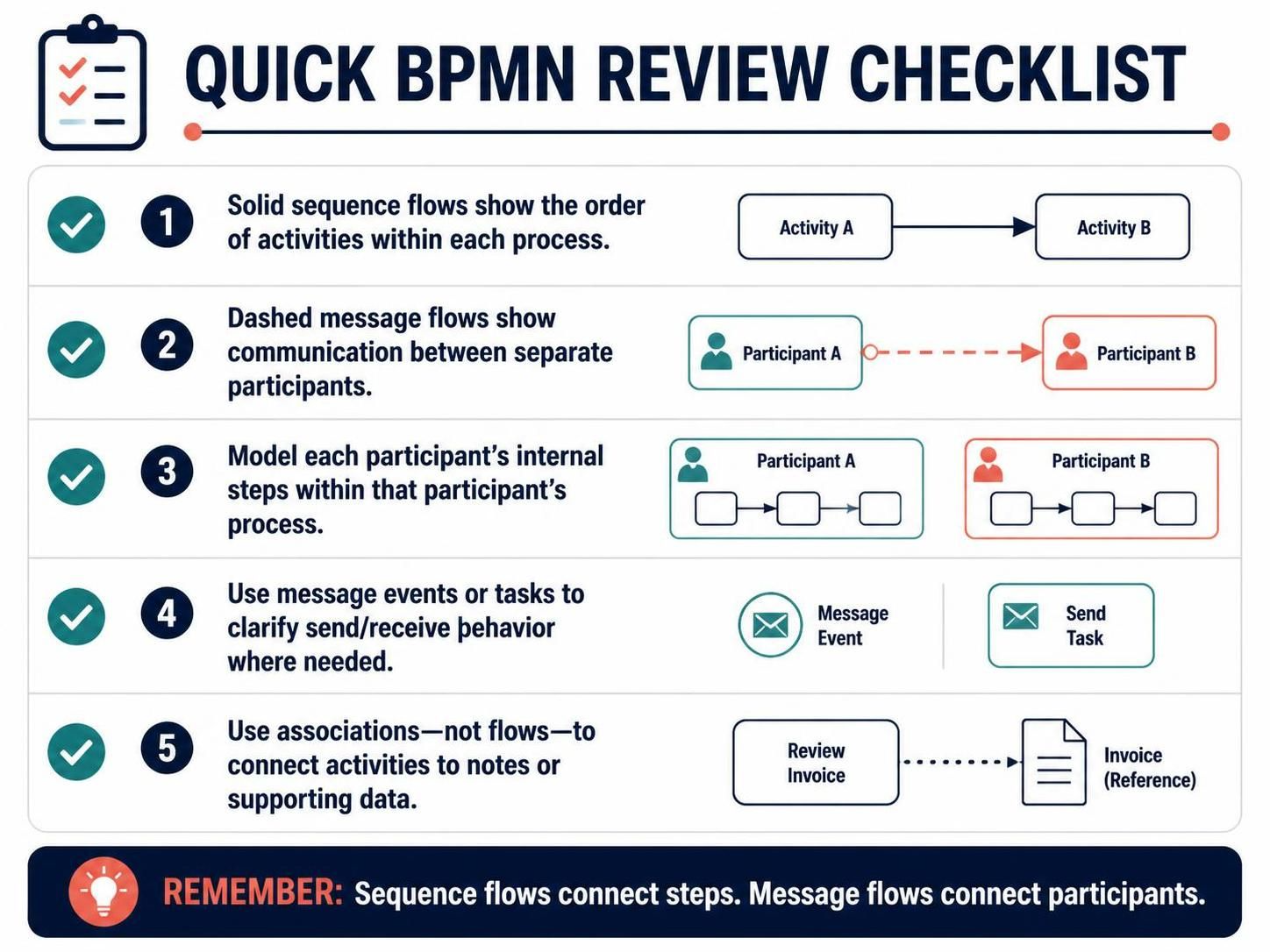
In the world of Business Process Model and Notation (BPMN), clarity is king. A diagram is only useful if the intended audience can instantly understand the logic flow. The most common source of confusion for beginners—and even intermediate modelers—is the distinction between the different types of connectors. While they all look like arrows, they represent fundamentally different concepts in system architecture and business logic.
This tutorial breaks down the critical distinctions between Sequence Flows, Message Flows, and Associations, using the principles of the BPMN Review Checklist to ensure your diagrams are robust, readable, and semantically correct.
1. The Backbone of Logic: Sequence Flows
Every process starts with a sequence. In BPMN, the Sequence Flow is the solid arrow that dictates the order in which activities occur. It represents the deterministic path of control within a single scope.
- Visual Syntax: A solid line with a classic, filled arrowhead.
- Scope: It is strictly contained within a single Participant (Pool) or Lane.
- Function: It answers the question: “What happens next?”
When modeling a simple workflow, such as “Activity A” followed by “Activity B,” you are establishing a temporal dependency. The control cannot pass to Activity B until Activity A is complete. This is the heartbeat of your process logic.
Visual Representation
Activity A
   |
   | (Sequence Flow)
   v
Activity B
2. The Bridge Between Systems: Message Flows
Real-world business rarely happens in a vacuum. It involves hand-offs between different organizations, departments, or systems. When modeling this interaction, you must switch from a solid line to a Message Flow.
- Visual Syntax: A dashed line with a hollow (unfilled) arrowhead.
- Scope: It connects separate Participants (Pools). It crosses the boundary of a process.
- Function: It answers the question: “Who is talking to whom?”
A critical architectural rule to remember is that you cannot cross the boundary of a Pool with a solid line. If you try to connect two different Participants using a Sequence Flow, you are implying that they share the same control scope, which is incorrect. They must communicate via Message Flows.
Visual Representation
[Participant A] ---(Dashed Arrow)---> [Participant B]3. Context and Data: Associations
Not every line in a diagram represents a flow of time or a transfer of a message. Sometimes, you need to link an activity to the data it consumes or the notes that explain it. This is the role of the Association.
- Visual Syntax: A dashed line without an arrowhead (usually), or a simple line connecting an activity to an object.
- Scope: Connects flow objects (Tasks, Events) to Artifacts (Data Objects, Text Annotations).
- Function: It represents a relationship or a dependency on data, not a flow of control.
For example, if a task is “Review Invoice,” you might draw a line connecting the task to an icon of an invoice document. This indicates that the task uses the invoice, but the invoice does not “flow” into the task in a time-based sequence.
4. The Mechanics of Communication: Message Events
While a Message Flow shows the path of the message, the Message Event or Send/Receive Task defines the actual behavior of sending or receiving that message. You cannot simply have a dashed line floating in space; there must be a mechanism to trigger the exchange.
When you model a hand-off, use a Message Event (often a circle with an envelope icon) to explicitly state that the process is waiting for an external trigger or is actively sending a signal to the next participant.
Conclusion: The Rule of Distinction
Building a high-quality BPMN diagram requires a strict adherence to the intended purpose of every connector. If you remember only one thing from this guide, remember this: Sequence flows connect steps; Message flows connect participants.
By keeping these distinctions clear, you ensure that your diagrams are not just pictures, but accurate representations of system architecture and business logic. Use associations for data context, message events for behavior, and flows for logic—your future self (and your stakeholders) will thank you.