
Introduction
Visual Paradigm Desktop has established itself as a cornerstone tool in the software engineering and business analysis landscape. With five distinct editions—Enterprise, Professional, Standard, Modeler, and Community—it offers a scalable solution that caters to everyone from students learning UML basics to enterprise architects managing complex organizational frameworks.
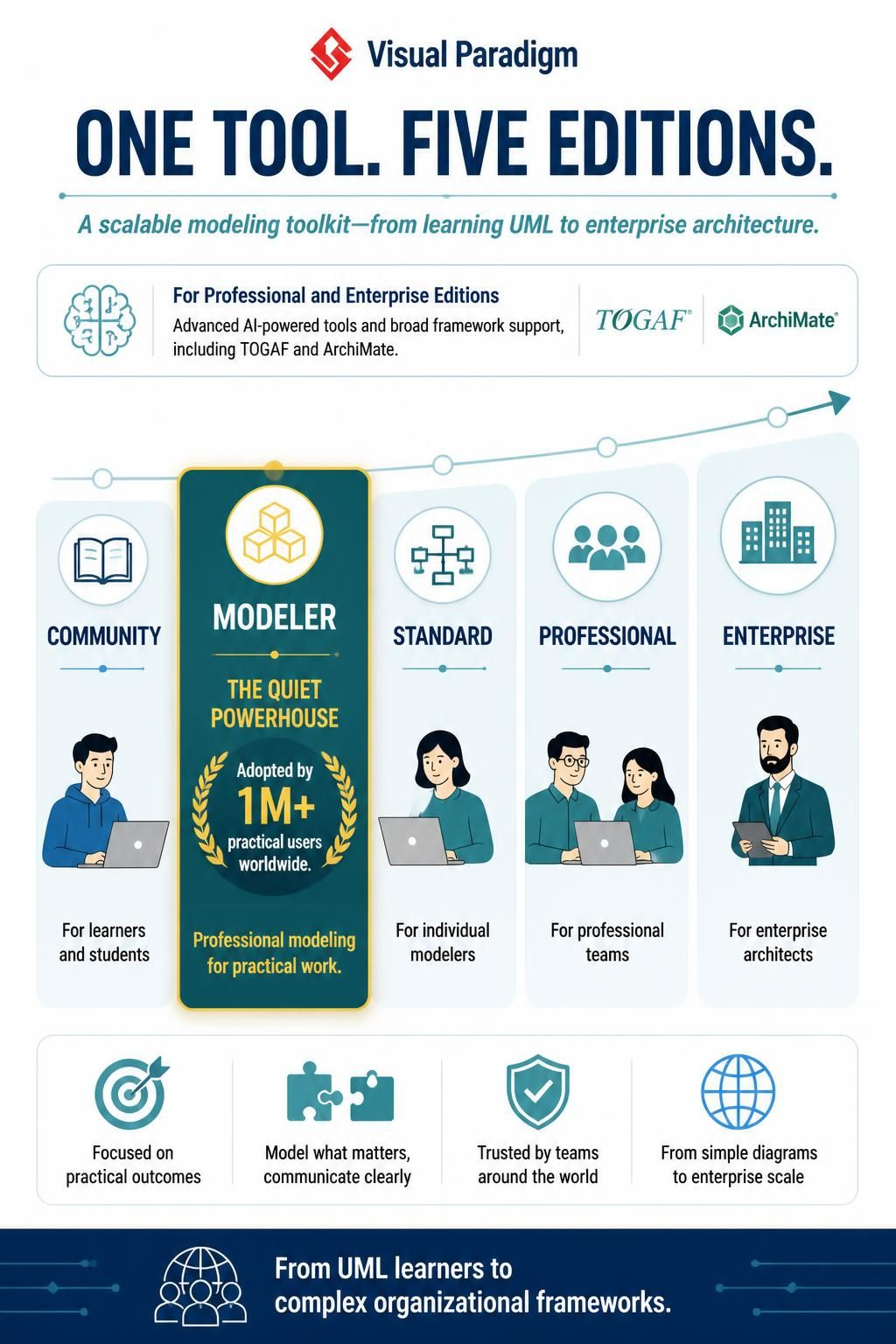
While the Enterprise and Professional editions often grab headlines with their advanced AI-powered tools and full framework support (TOGAF, ArchiMate), there is a quiet powerhouse in the lineup that has been adopted by over a million practical users worldwide: the Modeler Edition.
This guide provides a general comparison of all Visual Paradigm Desktop editions, but places special focus on the Modeler Edition. We’ll explore who needs it, why it stands out in a crowded market, and how it serves as the ideal balance between functionality and simplicity for analysts, designers, and educators.
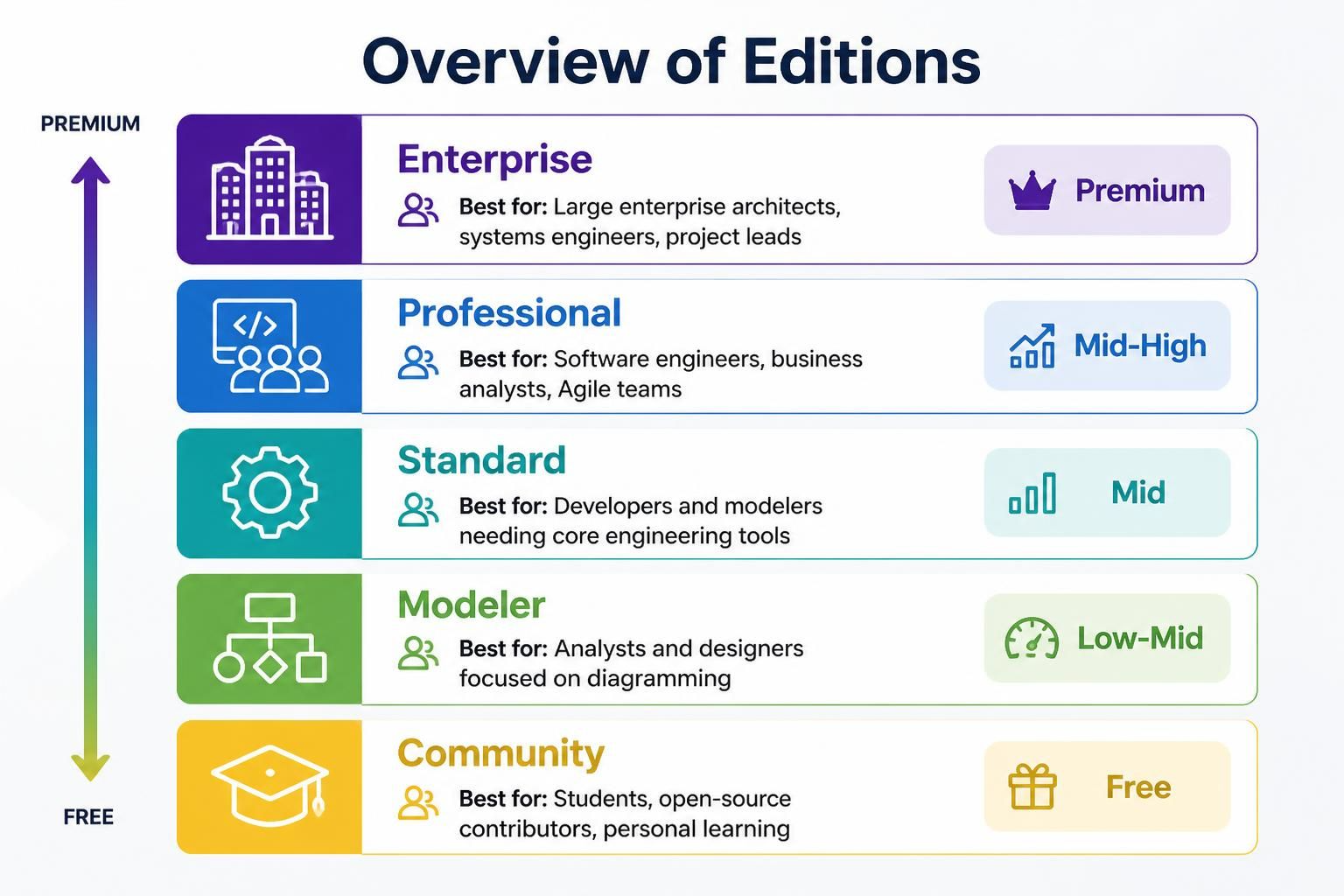
| Edition | Best For | Price Tier |
|---|---|---|
| Enterprise | Large enterprise architects, systems engineers, project leads | Premium |
| Professional | Software engineers, business analysts, Agile teams | Mid-High |
| Standard | Developers and modelers needing core engineering tools | Mid |
| Modeler | Analysts and designers focused on diagramming | Low-Mid |
| Community | Students, open-source contributors, personal learning | Free |
Overview of All Editions
Before diving deep into the Modeler Edition, let’s briefly recap what each edition offers to help you understand where it fits in the ecosystem.
1. Enterprise Editionf
Best For: Large enterprise architects, systems engineers, and project leads.
Key Features: Full support for TOGAF, DoDAF, NAF, MODAF, and ArchiMate; AI-powered business tools; complete code and database engineering; advanced collaboration.
Ideal Use Cases: Organizations implementing enterprise architecture frameworks, large-scale system design, and complex business process optimization.
2. Professional Edition
Best For: Software engineers, business analysts, and Agile development teams.
Key Features: Core modeling (UML, SysML, ERD); code and database engineering; BPMN & DFD; team collaboration; Scrum canvases; UI wireframing.
What’s Excluded: Full enterprise architecture frameworks (TOGAF, DoDAF, ArchiMate).
Ideal Use Cases: Software development projects, business process analysis, Agile teams practicing Scrum, and database design.
3. Standard Edition
Best For: Developers needing core engineering capabilities without extensive Agile tooling.
Key Features: Core UML modeling; code and database engineering; BPMN & DFD; basic collaboration tools.
What’s Excluded: Enterprise architecture frameworks; some advanced collaboration features.
Ideal Use Cases: Individual developers or small teams, projects requiring solid modeling without extensive Agile tooling, and business process documentation.
4. Modeler Edition
Best For: Business analysts, system designers, and users focused purely on visual diagramming.
Key Features: Core UML & SysML; ERD support; online editing capabilities; IDE integration.
What’s Excluded: Advanced code and database engineering; BPMN and DFD support; team collaboration features; Scrum and Agile project management tools.
Ideal Use Cases: Creating clear visual documentation, system design diagrams, database schema visualization, and educational purposes.
5. Community Edition
Best For: Students, open-source contributors, and personal learning.
Key Features: Basic UML, SysML, and ERD tools; free to use.
Limitations: Watermarked outputs; no advanced engineering; no enterprise features.
Ideal Use Cases: Learning UML fundamentals, student projects, personal diagramming, and testing Visual Paradigm before purchasing.
Deep Dive: The Modeler Edition
Who Needs the Modeler Edition?
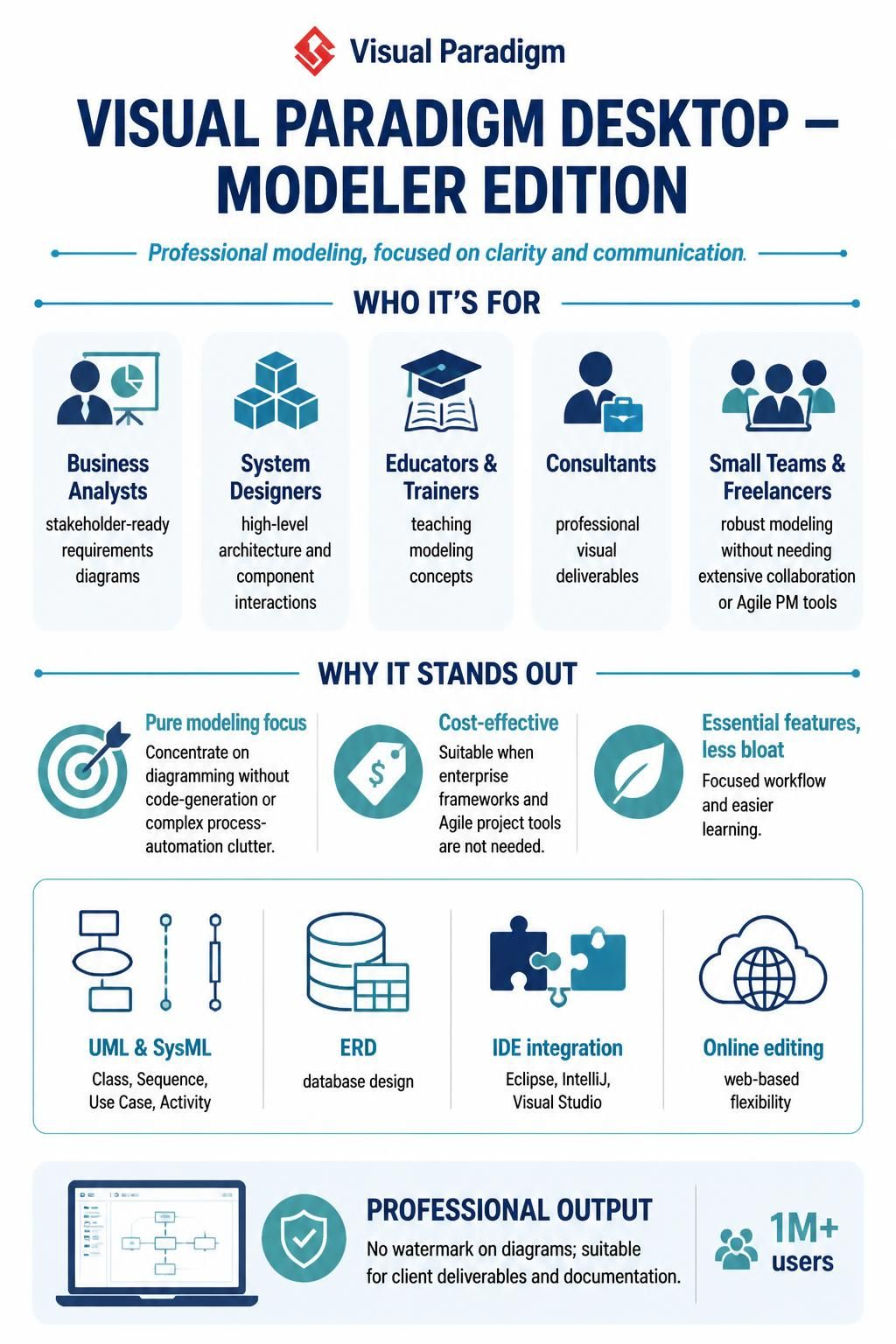
The Modeler Edition is designed for a specific subset of professionals who prioritize clarity, visualization, and communication over code generation or complex process automation. It is the ideal choice for:
-
Business Analysts: Who need to create clear, standardized diagrams to communicate requirements to stakeholders and development teams.
-
System Designers: Who focus on high-level architecture and component interactions rather than low-level code implementation.
-
Educators and Trainers: Who need a reliable, affordable tool to teach modeling concepts without the distraction of advanced engineering features.
-
Consultants: Who deliver visual artifacts as part of their recommendations and need a professional-grade tool for diagramming.
-
Small Teams or Freelancers: Who need robust modeling capabilities but do not require the overhead of team collaboration features or Agile project management tools.
Why Does the Modeler Edition Stand Out in the Market?
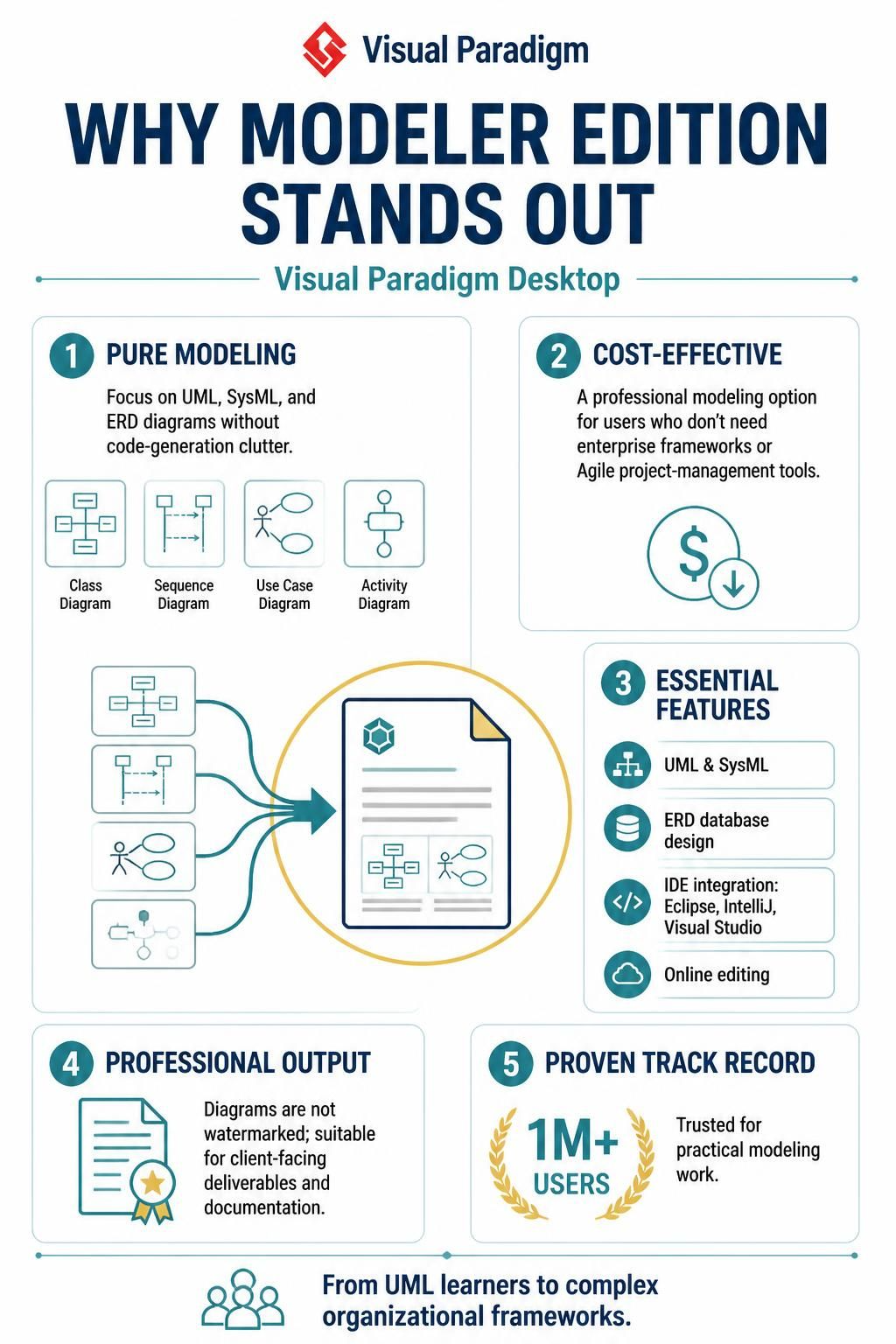
In a market saturated with either overly simple drawing tools or excessively complex enterprise suites, the Modeler Edition occupies a unique “sweet spot.” Here’s why it has been adopted by over a million practical users:
1. Focus on Pure Modeling
Unlike the Standard or Professional editions, which bundle code engineering and BPMN, the Modeler Edition strips away features that many users never use. This results in a cleaner interface, faster performance, and a lower learning curve. Users can focus entirely on creating accurate UML, SysML, and ERD diagrams without navigating menus for code generation they don’t need.
2. Cost-Effectiveness
For organizations or individuals who do not require enterprise frameworks (TOGAF, ArchiMate) or Agile project management tools, the Modeler Edition offers significant cost savings. It provides professional-grade modeling capabilities at a “Low-Mid” price tier, making it accessible to smaller businesses and independent consultants.
3. Essential Features Without Bloat
The Modeler Edition includes:
-
Core UML & SysML: Support for all essential diagram types (Class, Sequence, Use Case, Activity, etc.).
-
ERD Support: Robust Entity-Relationship Diagramming for database design.
-
IDE Integration: Connect with popular development environments like Eclipse, IntelliJ, and Visual Studio, allowing seamless transition from design to code (even if the code generation itself is handled elsewhere).
-
Online Editing: Web-based editing capabilities for flexibility.
4. Professional Output
Unlike the Community Edition, diagrams created in the Modeler Edition are not watermarked. This makes it suitable for client-facing deliverables, professional documentation, and published materials.
5. Proven Track Record
With over a million users, the Modeler Edition has been battle-tested in real-world scenarios. Its stability, reliability, and adherence to industry standards make it a trusted choice for professionals who need to get the job done without fuss.
Key Concepts and Examples: Tooling with Visual Paradigm Modeler Edition
To illustrate the power of the Modeler Edition, let’s look at two common scenarios where it excels.
Example 1: Database Schema Design for a New Application
Scenario: A startup is building a new e-commerce platform. The lead designer needs to create a clear database schema to share with the development team.
How Modeler Edition Helps:
-
Create an ERD: Use the Entity-Relationship Diagram tool to define entities like
Customer,Product,Order, andPayment. -
Define Relationships: Easily draw one-to-many and many-to-many relationships between entities.
-
Add Attributes: Specify data types, primary keys, and foreign keys for each entity.
-
Export and Share: Generate a clean, professional PDF or image of the schema to include in technical documentation. No watermarks, no clutter.
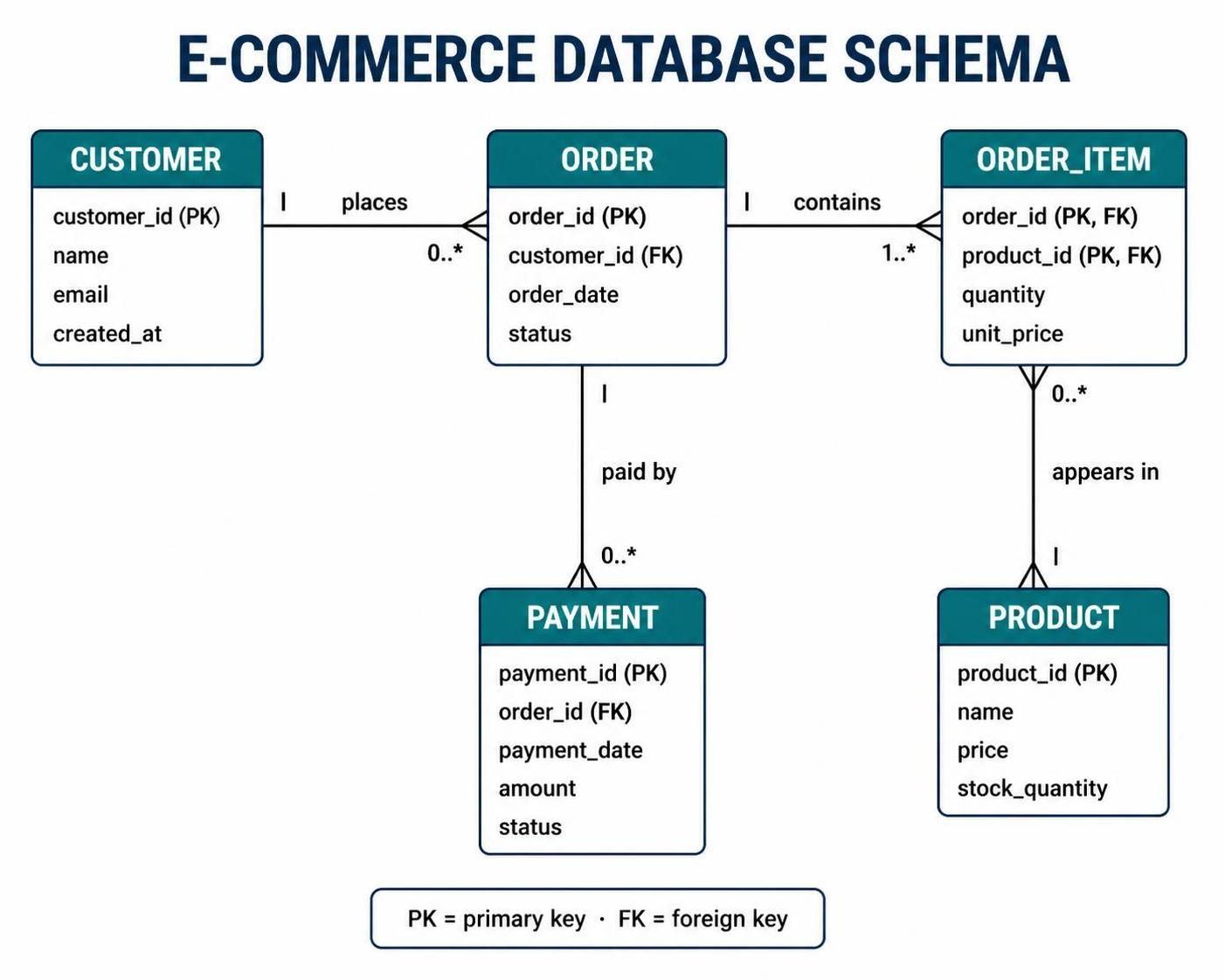
Key Concept: Entity-Relationship Modeling – A structural technique used to describe the data requirements of a system. The Modeler Edition provides intuitive drag-and-drop tools for creating these diagrams efficiently.
Example 2: System Architecture Documentation
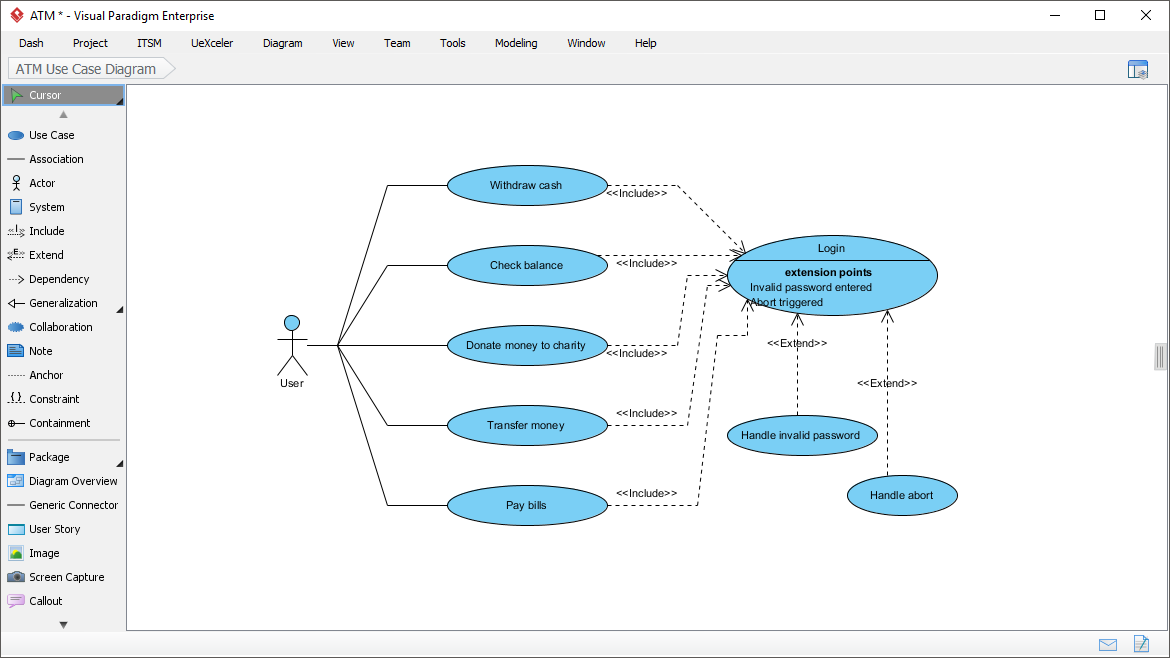
Scenario: A consultant is hired to document the existing architecture of a legacy system for a mid-sized company. The goal is to create clear visuals for stakeholders who are not technical experts.
How Modeler Edition Helps:
-
Use Case Diagrams: Map out the key actors (e.g., Admin, Customer) and their interactions with the system.
-
Component Diagrams: Show the high-level components of the system and their dependencies.

-
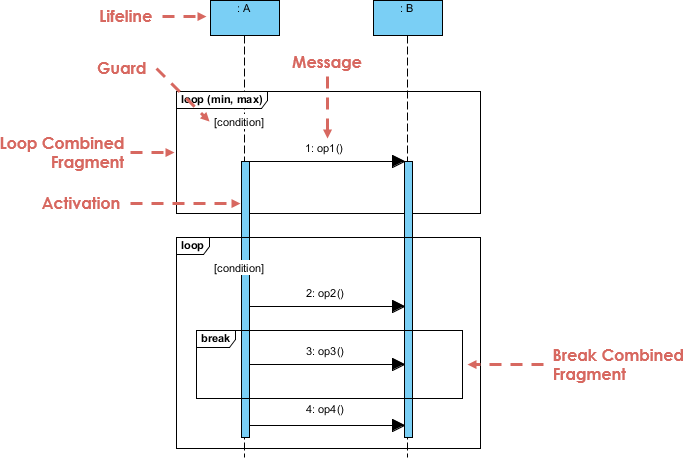
Sequence Diagrams: Illustrate the flow of messages between objects for critical business processes.
-
Professional Presentation: Export diagrams in high resolution for inclusion in PowerPoint presentations or Word documents.
Key Concept: Unified Modeling Language (UML) – A standardized visual language for specifying, constructing, and documenting software systems. The Modeler Edition supports all 14 UML diagram types, ensuring compliance with industry standards.
Quick Comparison Table
| Feature / Capability | Enterprise | Professional | Standard | Modeler | Community |
|---|---|---|---|---|---|
| Core UML, SysML, ERD | ✅ Yes | ✅ Yes | ✅ Yes | ✅ Yes | ✅ Yes (Watermarked) |
| BPMN & DFD | ✅ Yes | ✅ Yes | ✅ Yes | ✅ Yes | ❌ No |
| Code & Database Engineering | ✅ Yes | ✅ Yes | ✅ Yes | ❌ No | ❌ No |
| Team Collaboration & Wireframing | ✅ Yes | ✅ Yes | ✅ Yes | ❌ No | ❌ No |
| Scrum Canvas & PM Guides | ✅ Yes | ✅ Yes | ✅ Yes | ❌ No | ❌ No |
| AI-Powered Business Tools | ✅ Yes | ✅ Yes | ❌ No | ❌ No | ❌ No |
| TOGAF, DoDAF & ArchiMate | ✅ Yes | ❌ No | ❌ No | ❌ No | ❌ No |
| Price | Premium | Mid-High | Mid | Low-Mid | Free |
(Note: While the table above indicates BPMN & DFD as “Yes” for Modeler based on the initial overview, the detailed description for Modeler explicitly states “BPMN and DFD support” are excluded. For accuracy, please refer to the official Visual Paradigm website for the most current feature list. The Modeler Edition is primarily focused on UML, SysML, and ERD.)
Visual Pardigm: How to Choose the Right Edition
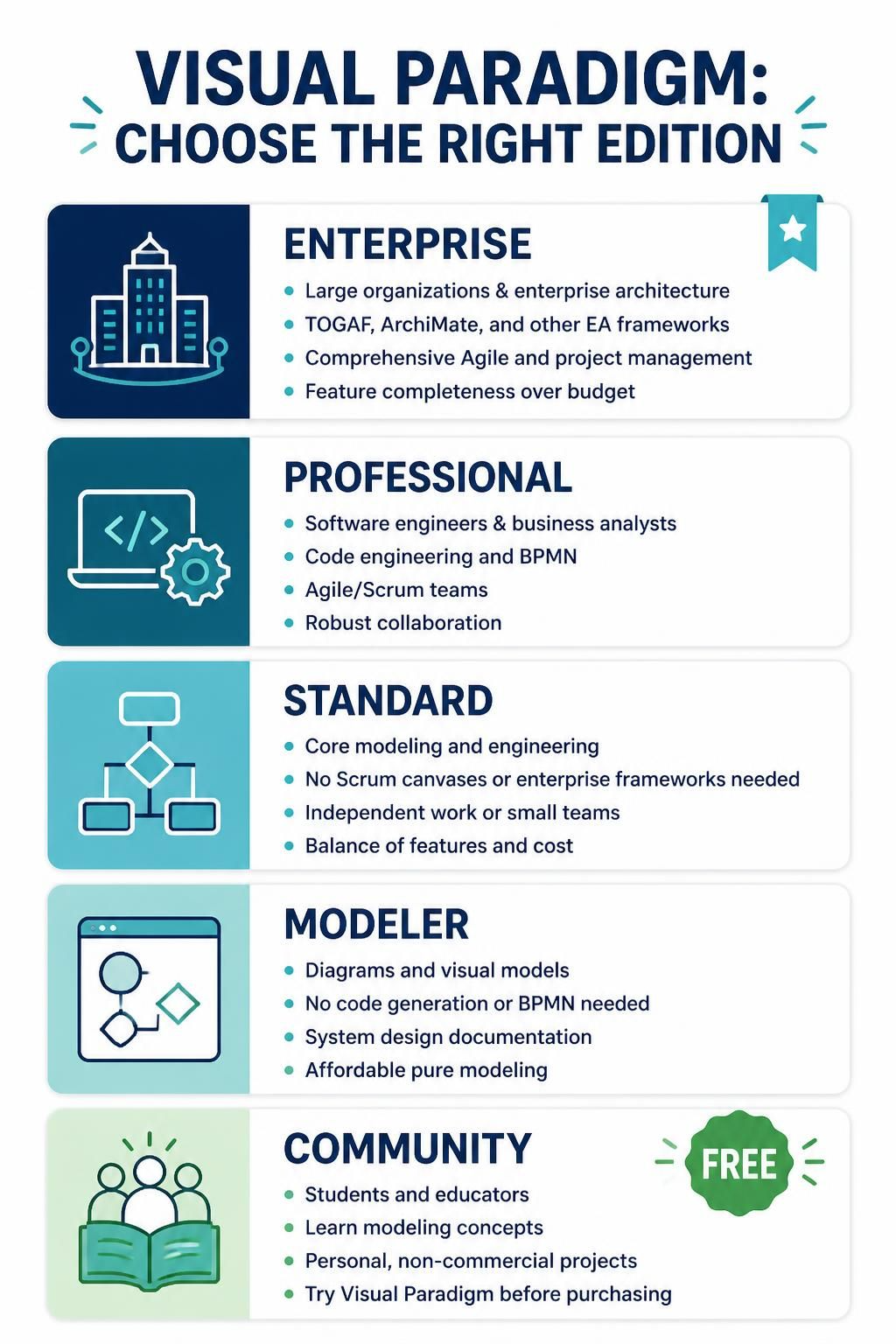
Choose Enterprise if:
-
You work in a large organization implementing enterprise architecture.
-
You need full TOGAF, ArchiMate, or other EA framework support.
-
Your team requires comprehensive Agile and project management tools.
-
Budget is less of a concern than feature completeness.
Choose Professional if:
-
You’re a software engineer or business analyst.
-
You need code engineering and BPMN but not enterprise frameworks.
-
Your team practices Agile/Scrum methodologies.
-
You want robust collaboration features.
Choose Standard if:
-
You need core modeling and engineering capabilities.
-
You don’t require Scrum canvases or enterprise frameworks.
-
You’re working independently or in a small team.
-
You want a balance of features and cost.
Choose Modeler if:
-
You primarily create diagrams and visual models.
-
You don’t need code generation or BPMN.
-
You’re focused on system design documentation.
-
You want an affordable option for pure modeling.
Choose Community if:
-
You’re a student or educator.
-
You’re learning modeling concepts.
-
You have personal, non-commercial projects.
-
You want to try Visual Paradigm before purchasing.
Tips for Getting Started
-
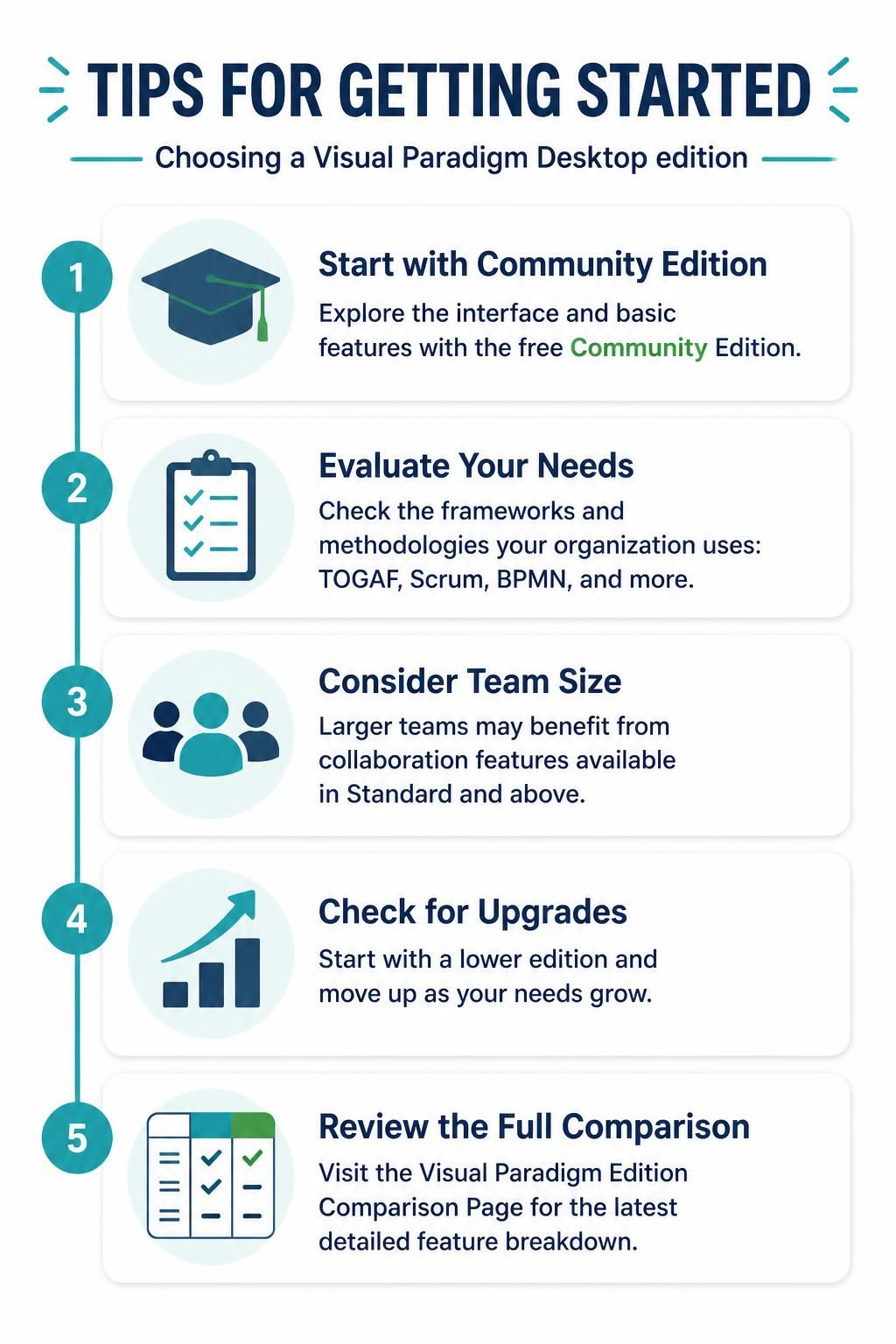
Start with Community Edition: If you’re new to Visual Paradigm, begin with the free Community Edition to explore the interface and basic features.
-
Evaluate Your Needs: Consider which frameworks and methodologies your organization uses (TOGAF, Scrum, BPMN, etc.) to determine the minimum edition required.
-
Consider Team Size: Larger teams benefit more from collaboration features available in Standard and above.
-
Check for Upgrades: Visual Paradigm often offers upgrade paths, so you can start lower and move up as needs grow.
-
Review the Full Comparison: Visit the Visual Paradigm Edition Comparison Page for the most current and detailed feature breakdown.
Conclusion
Visual Paradigm Desktop provides a scalable solution that grows with your needs. Whether you’re a student learning UML basics, a developer engineering complex systems, or an enterprise architect implementing TOGAF frameworks, there’s an edition designed for your specific requirements.
However, for the vast majority of practical users—business analysts, system designers, and consultants—who need to create professional, standardized diagrams without the overhead of code engineering or enterprise frameworks, the Modeler Edition stands out as the optimal choice. Its focus on pure modeling, cost-effectiveness, and professional output has earned it the trust of over a million users worldwide. By understanding the differences between editions, you can make an informed decision that balances functionality, collaboration needs, and budget constraints.
For the most up-to-date pricing and feature details, always refer to the official Visual Paradigm website.
