Introduction
In the fast-paced world of software development and product management, clear communication is paramount. Whether you are mapping out a complex microservices architecture, designing a user journey, or visualizing database relationships, diagrams serve as the universal language of structure and logic. However, traditional drag-and-drop diagramming tools can be time-consuming, difficult to version control, and often result in inconsistent styling.
Enter Mermaid, a JavaScript-based diagramming and charting tool that uses text definitions to generate dynamic diagrams. While powerful, writing Mermaid syntax from scratch can have a steep learning curve. This is where VPasCode, the premier online Mermaid editor by Visual Paradigm, changes the game. By combining a robust, free online editor with cutting-edge AI capabilities, VPasCode allows you to “diagram effortlessly,” turning plain text into professional visuals in real-time.
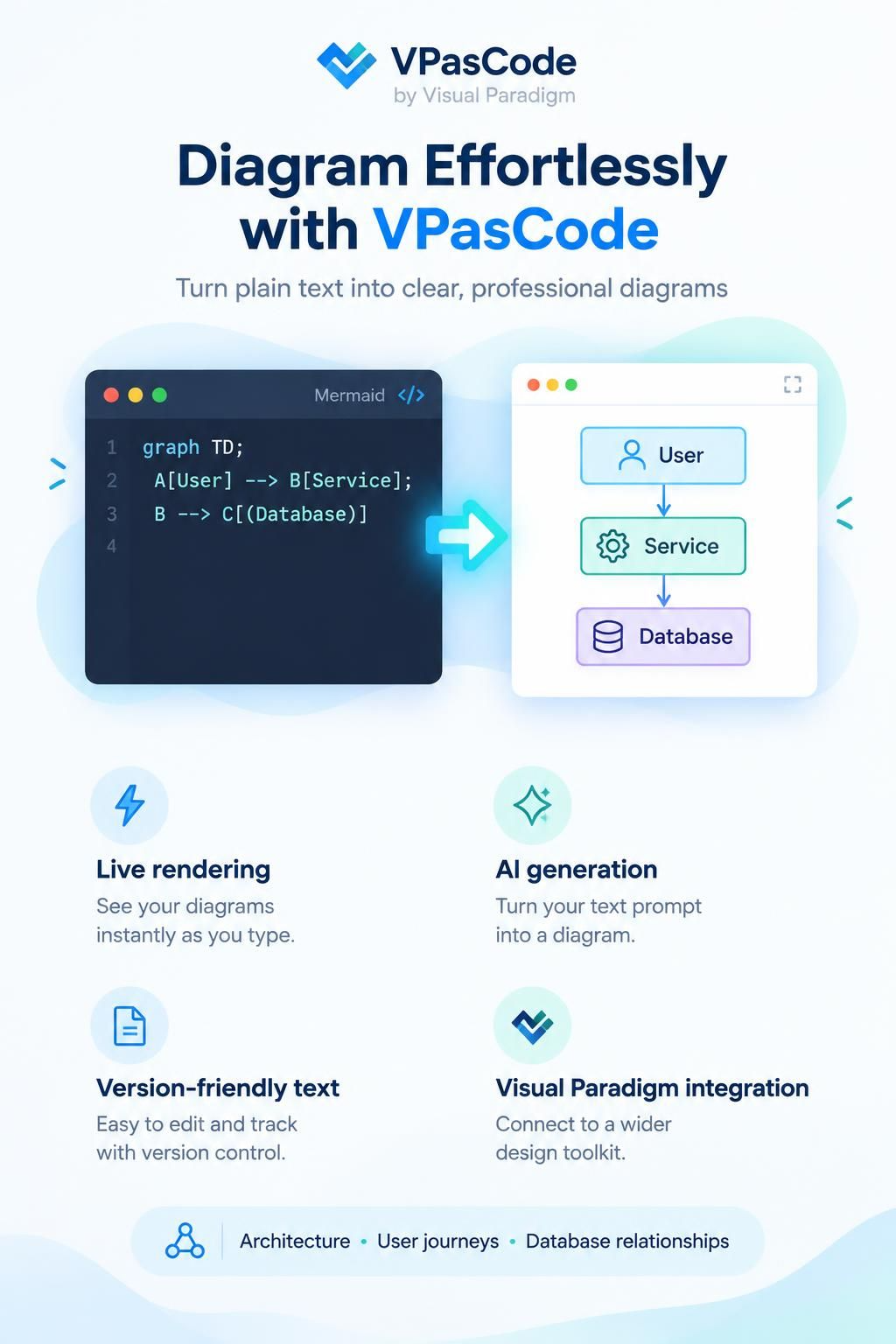
This guide will explore how to leverage VPasCode’s intelligent features, from live rendering and AI generation to seamless integration with the broader Visual Paradigm suite, helping you streamline your documentation and design workflows.
Why Choose an Online Mermaid Editor?
Before diving into the features, it’s essential to understand why a dedicated online tool like VPasCode is superior to basic text editors or heavy desktop applications for Mermaid coding.
1. Zero Setup, Instant Access
VPasCode works directly inside your web browser. There are no apps to install, no dependencies to manage, and no configuration files to tweak. You simply navigate to the editor, paste your code, and start creating. This makes it ideal for quick brainstorming sessions or sharing diagrams with stakeholders who may not have specialized software installed.
2. Live Rendering for Immediate Feedback
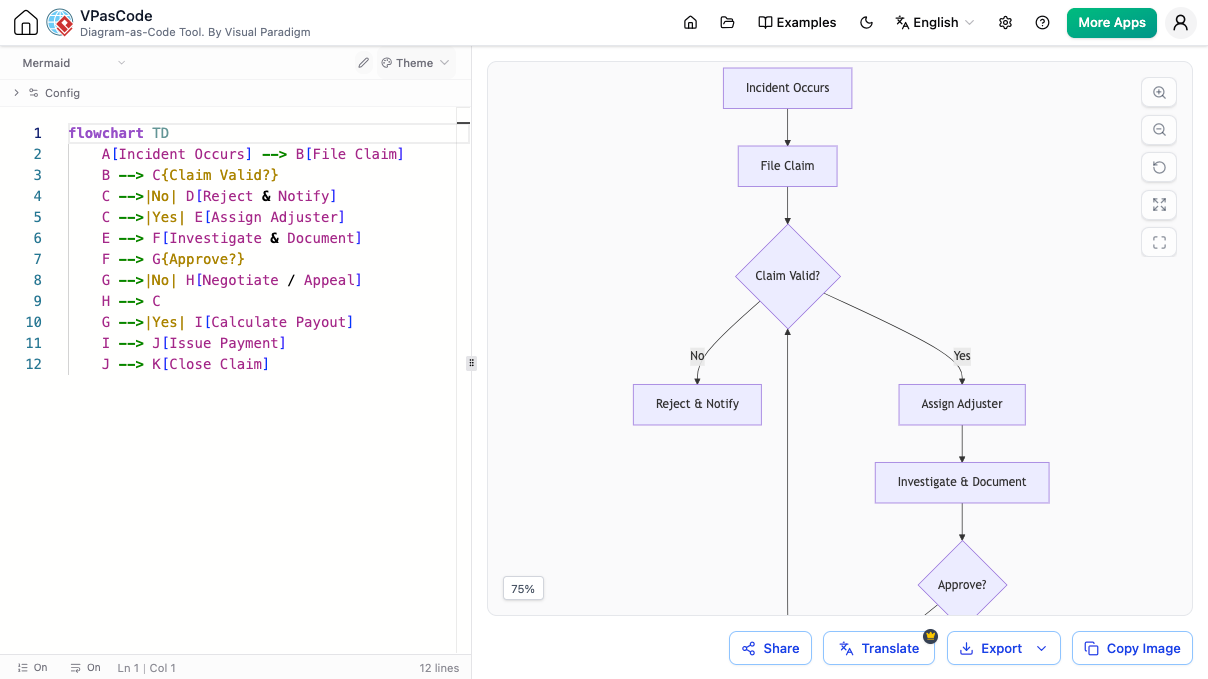
One of the biggest friction points in code-based diagramming is the delay between writing code and seeing the result. VPasCode offers live rendering, meaning your diagram updates instantly as you type. This immediate feedback loop helps you catch syntax errors early and adjust layouts on the fly, significantly boosting productivity.
3. Comprehensive Syntax Support
Unlike lightweight viewers that only support basic flowcharts, VPasCode is built for the complete Mermaid syntax. Whether you need complex Sequence diagrams, Gantt charts, Class diagrams, or Entity-Relationship Diagrams (ERDs), the editor handles them all with precision.
Core Features of VPasCode: Beyond Basic Editing
VPasCode is not just a text box; it is a comprehensive environment designed to supercharge your diagramming workflow.
Live Preview for All Mermaid Diagrams
The editor supports a wide variety of diagram types, ensuring that no matter your use case, you have the right visual tool.
-
Flowcharts: Perfect for mapping processes, such as e-commerce order fulfillment.
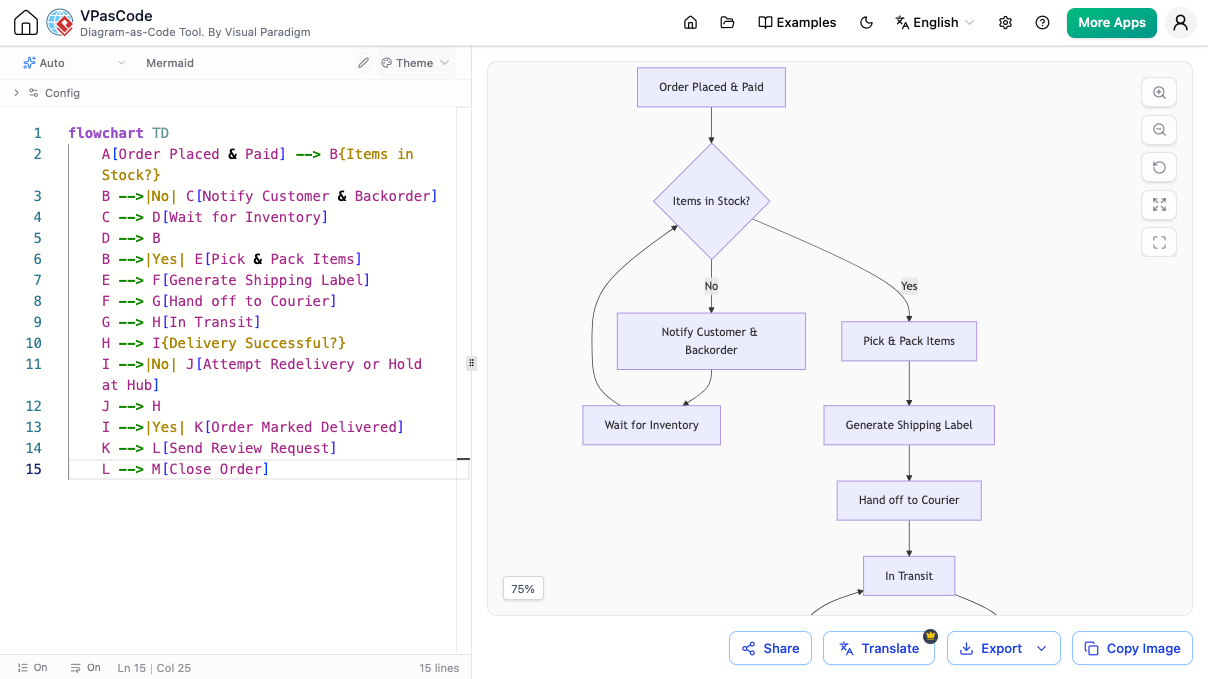
Example: An e-commerce order fulfillment flowchart created in VPasCode. -
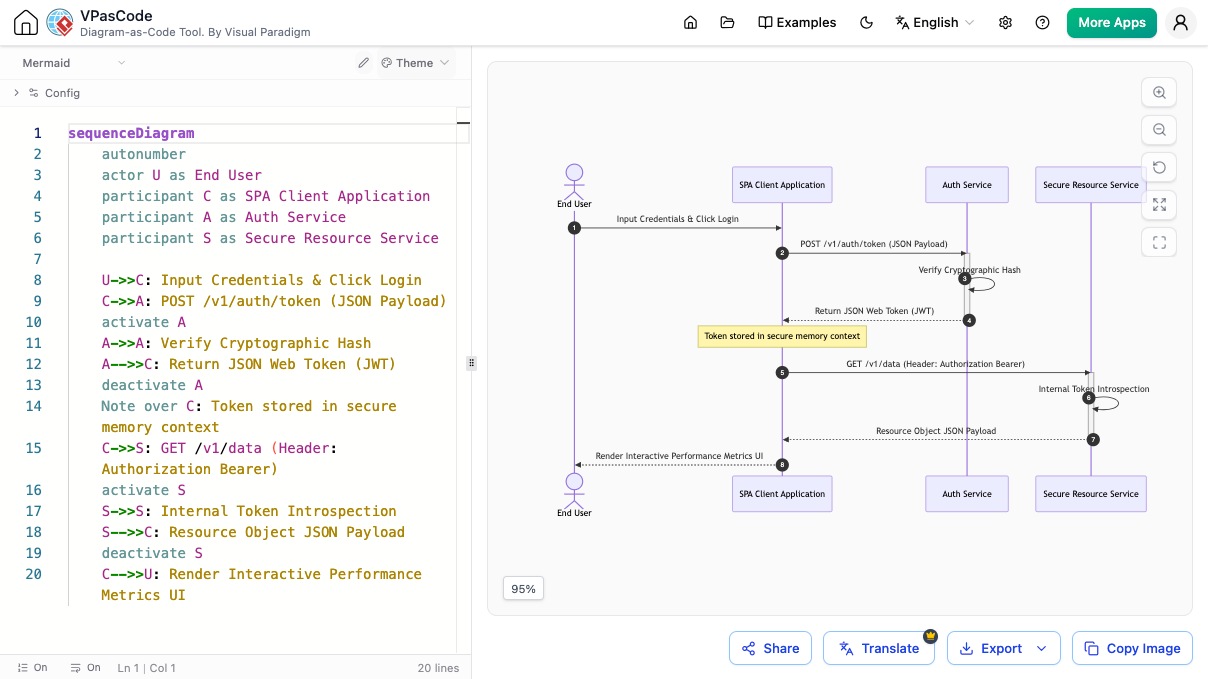
Sequence Diagrams: Ideal for visualizing interactions between systems, such as user authentication flows.
-
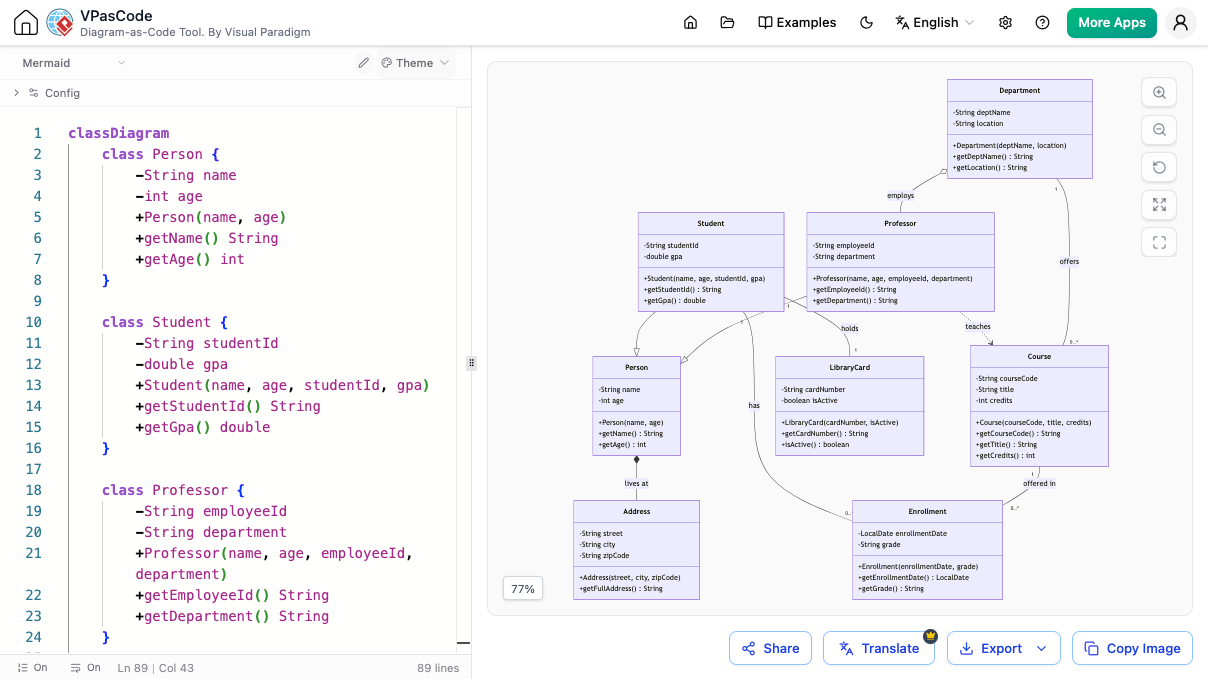
Class Diagrams: Essential for object-oriented design, such as modeling a university system.
-
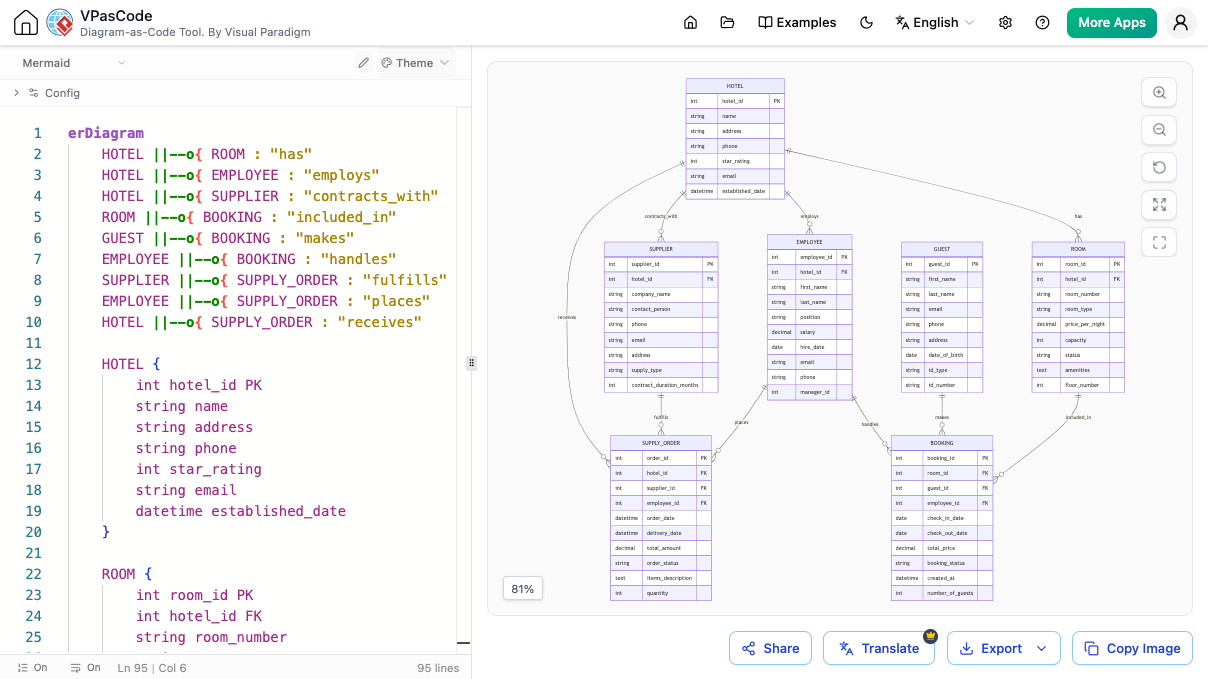
Entity-Relationship Diagrams (ERDs): Crucial for database design, such as a hotel management system.
Supercharge Your Workflow with AI
The standout feature of VPasCode is its deep integration with Artificial Intelligence. This transforms the editor from a passive renderer into an active collaborator.
AI Mermaid Diagram Generator
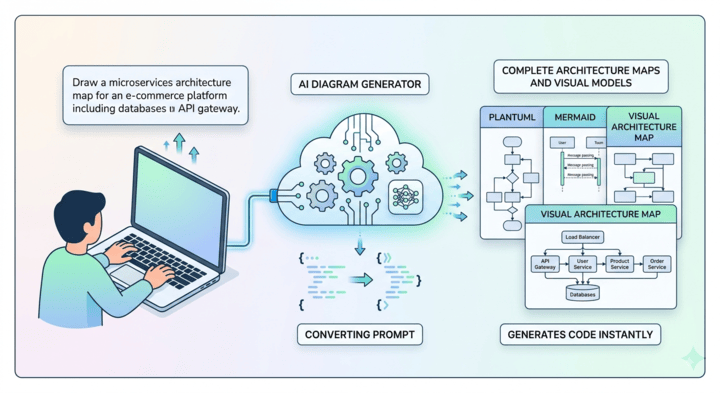
Struggling to start? Just type in your idea. The built-in AI Mermaid generator interprets your natural language description and automatically constructs the corresponding Mermaid syntax. Whether you need a simple flowchart or a complex sequence, the AI handles the tedious syntax building, allowing you to focus on the logic rather than the code.
AI Mermaid Script Modification
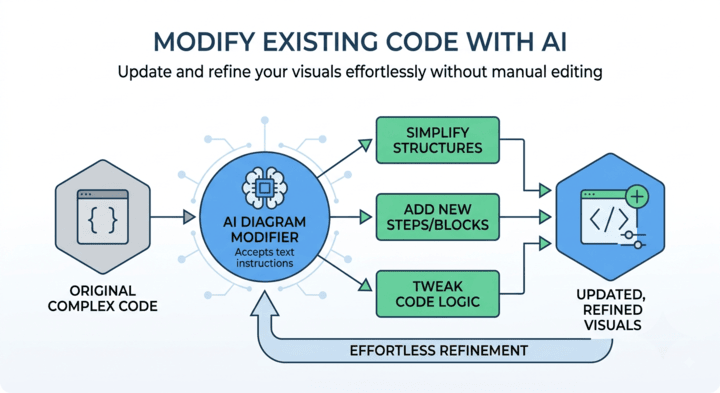
Maintaining diagrams as projects evolve can be messy. With VPasCode, you can instruct the AI assistant to adjust relationships, inject new blocks, or simplify complex loops. The AI modifies the underlying script seamlessly, saving you from manually hunting down and editing specific lines of code.
Intelligent Syntax Correction
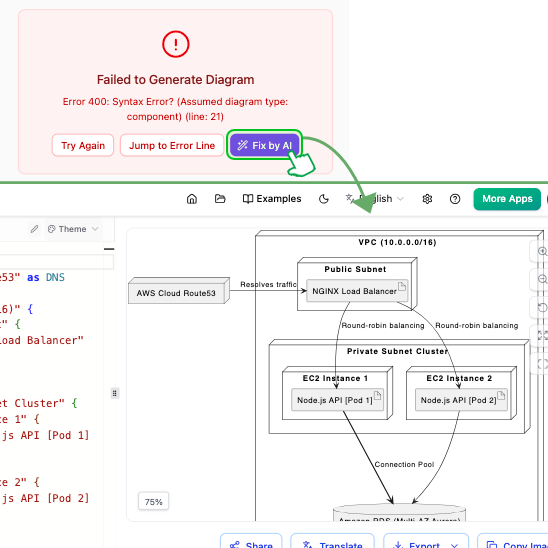
Syntax errors are inevitable, but they don’t have to halt your progress. VPasCode features one-click AI assistance to fix mistakes instantly. More importantly, the AI explains why the correction was made, helping you learn and master Mermaid syntax over time. This makes it one of the most educational and intelligent free Mermaid editors available.
Bridge Language Gaps with AI Translation
For global teams, language barriers can complicate documentation. VPasCode’s built-in AI translation feature allows you to instantly convert the text labels within your diagrams into different languages. This ensures that your architectural decisions and process flows are accessible to international stakeholders without manual re-entry.
Custom AI Endpoint Support
For enterprise users concerned with data privacy and cost management, VPasCode offers Custom AI Endpoint Support. You can integrate your own API credentials from providers like OpenAI, Anthropic, Google, DeepSeek, Mistral, Qwen, and Groq. This gives your organization complete control over data handling, safety protocols, and operational costs while still leveraging the powerful UI of VPasCode.

High-Quality Export Options
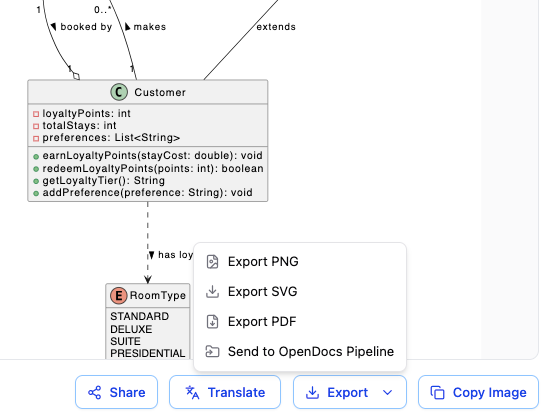
Once your diagram is perfect, you need to share it. VPasCode allows you to download your creations in multiple formats:
-
PDF: For crisp, formal prints and official documentation.
-
SVG: For scalable vector graphics ideal for tech manuals and web embedding.
-
PNG: For quick images to share in chats, emails, or presentations.
A Unified Platform for All Code-Based Diagrams
While VPasCode excels as a Mermaid tool, it is part of a larger ecosystem. It serves as a unified diagramming environment that supports multiple “diagram-as-code” languages. This means the skills you develop here are transferable across different visualization needs.
PlantUML Support
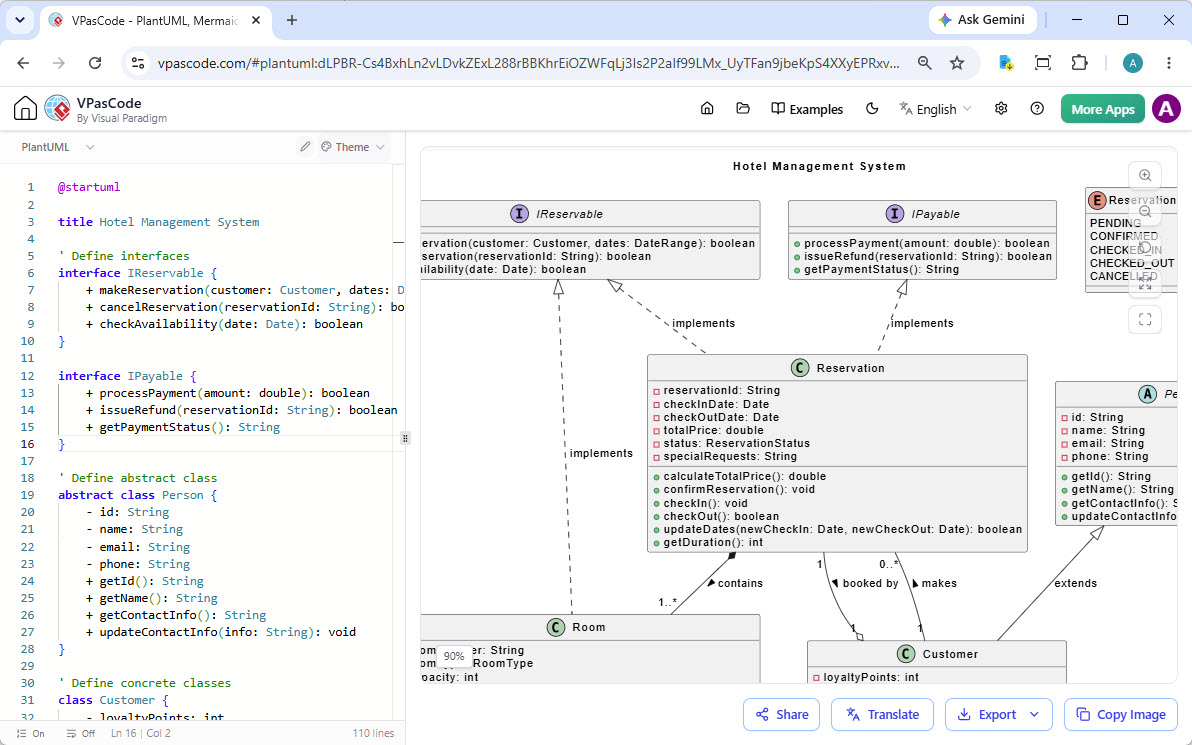
Create standard UML diagrams, ArchiMate views, and C4 model diagrams using PlantUML syntax. This is particularly useful for enterprise architects who need standardized modeling languages.
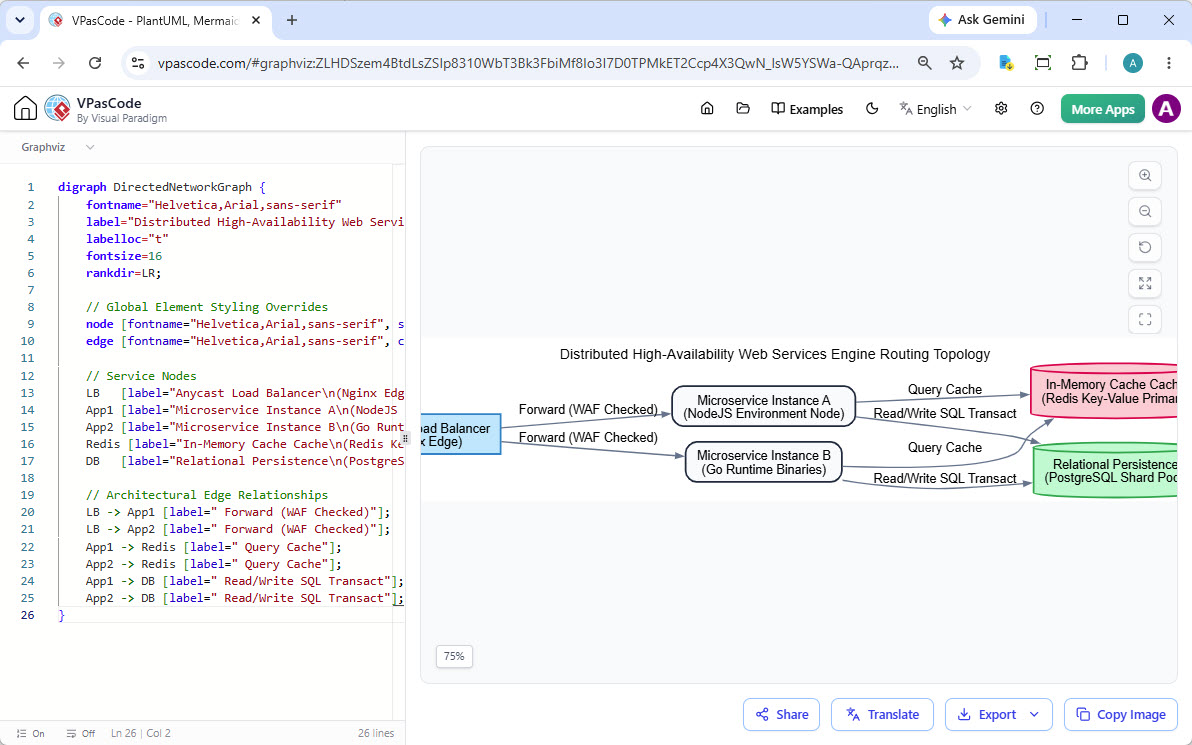
Graphviz DOT Support
Render complex graphs and network topologies using the DOT language. This is ideal for visualizing dependencies, network structures, or hierarchical data.
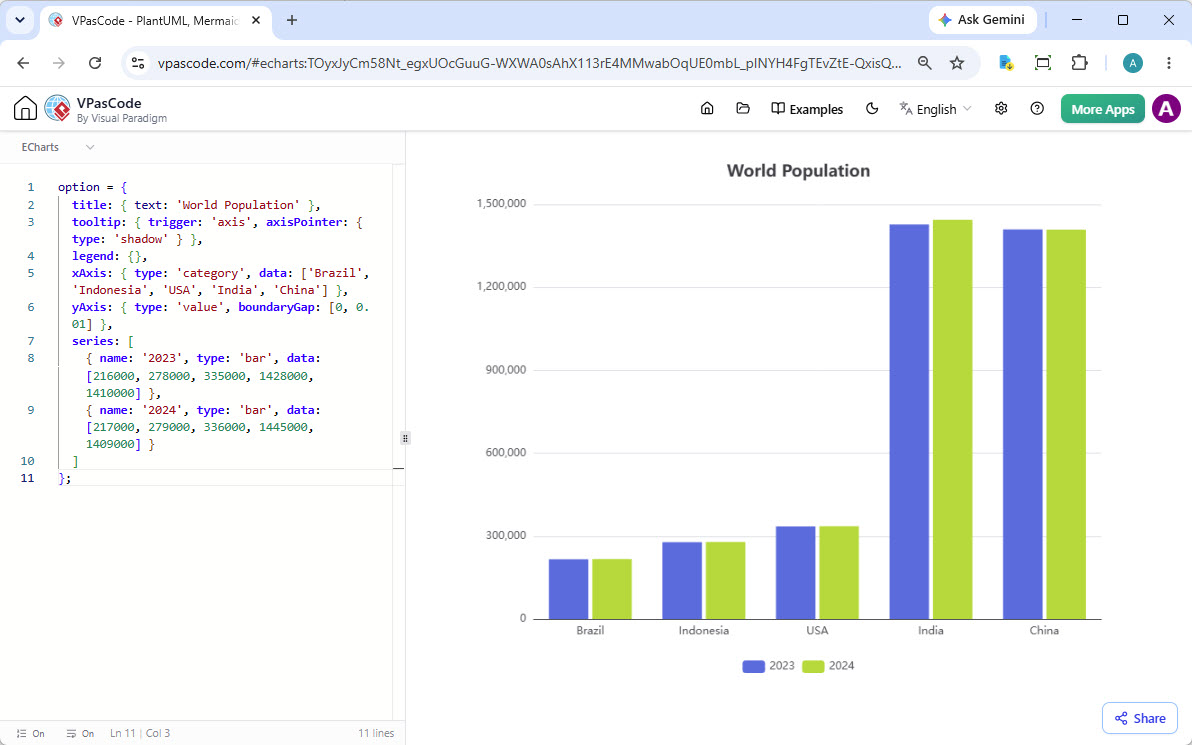
ECharts for Data Visualization
Build rich, interactive charts and data visualizations using Apache ECharts. This allows you to bring statistical data to life directly within your documentation workflow.
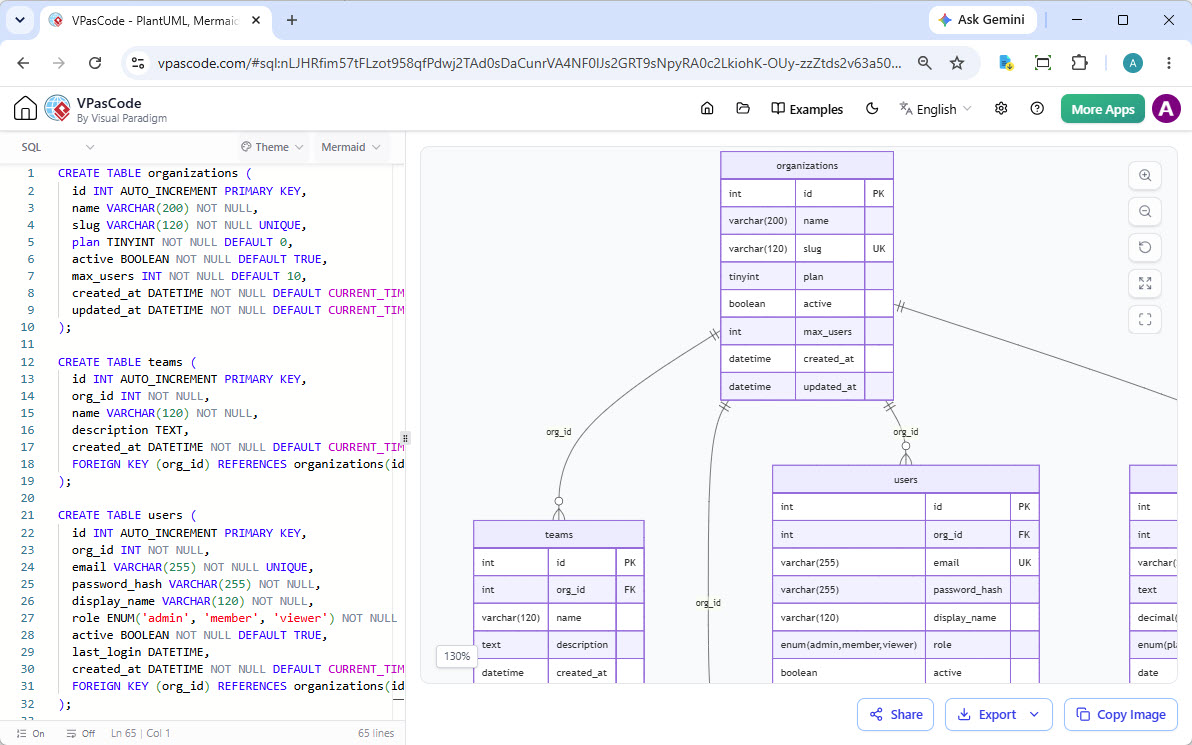
And Many More
VPasCode also supports visualizing data from SQL, JSON, YAML, and even Markmap mind maps, making it a versatile tool for developers, data analysts, and product managers alike.
Seamlessly Integrated with the Visual Paradigm Suite
VPasCode is not an isolated tool; it is a key component of the Visual Paradigm ecosystem, ensuring a smooth workflow from initial concept to final documentation.
Generate with AI, Perfect with VPasCode
You can start your journey in the Visual Paradigm AI Diagramming Chatbot. Describe your system in plain text, and the chatbot will generate an intricate Mermaid diagram. You can then open this generated code directly in VPasCode to refine every detail, adjust styles, and ensure accuracy.

Connect Diagramming to Documentation
A diagram is rarely standalone; it’s part of a larger narrative. With one click, you can send your finished work from VPasCode directly to Visual Paradigm OpenDocs. This allows you to create rich, shareable knowledge bases and project documentation where your live diagrams are embedded alongside text, ensuring your documentation stays up-to-date.
Practical Mermaid Diagram Examples
To help you get started, here are three common diagram types you can create in VPasCode, along with their corresponding Mermaid code.
1. Basic Flowchart
A simple process flow for a user login system.
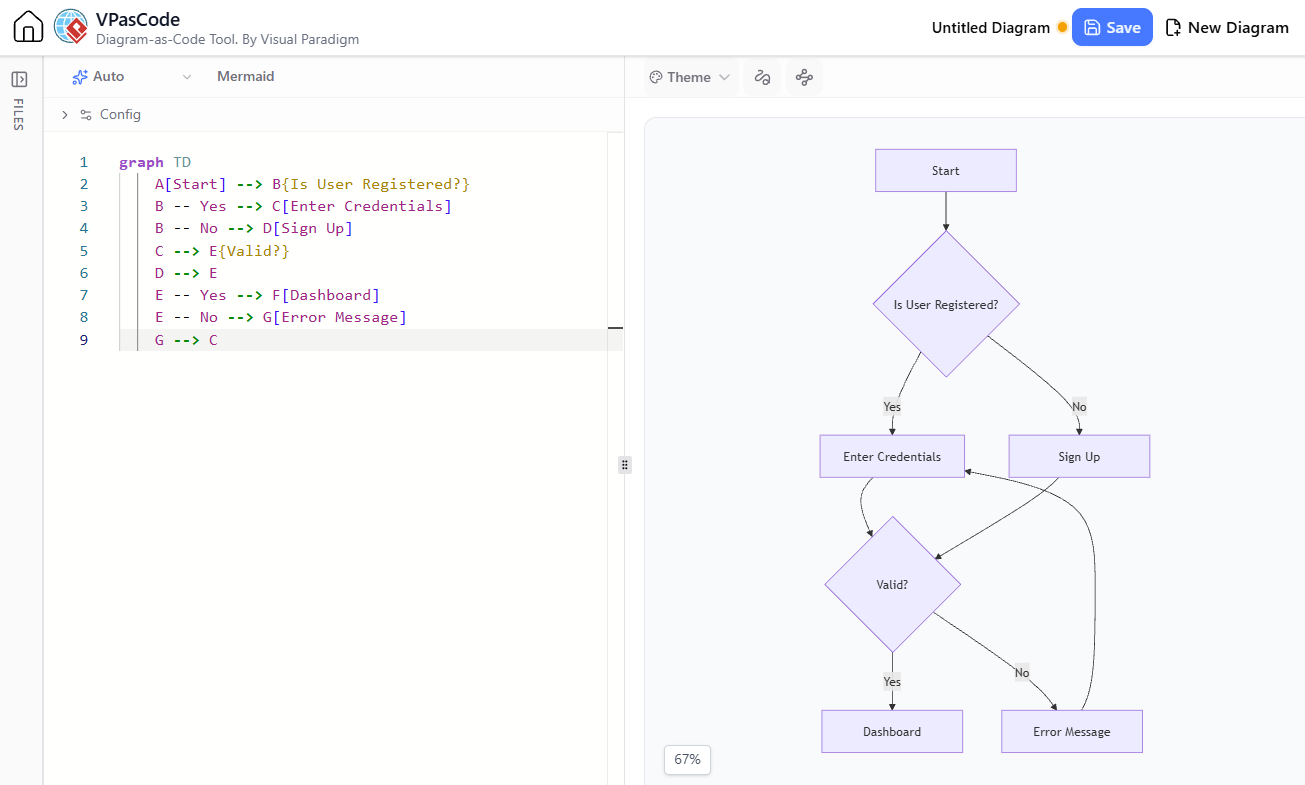
graph TD
    A[Start] --> B{Is User Registered?}
    B -- Yes --> C[Enter Credentials]
    B -- No --> D[Sign Up]
    C --> E{Valid?}
    D --> E
    E -- Yes --> F[Dashboard]
    E -- No --> G[Error Message]
    G --> C
2. Sequence Diagram
Illustrating the interaction between a client, server, and database during a data fetch.
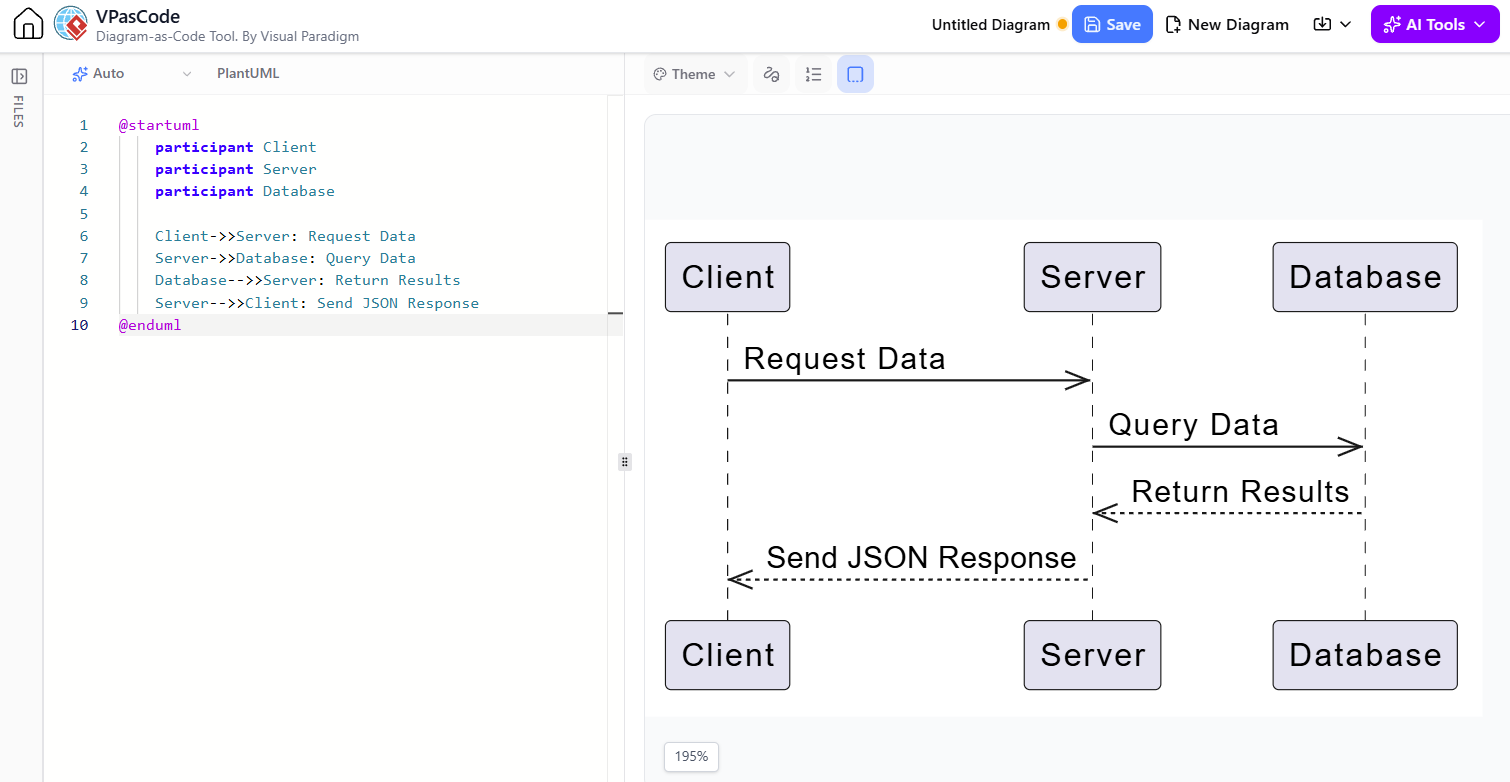
sequenceDiagram
    participant Client
    participant Server
    participant Database

    Client->>Server: Request Data
    Server->>Database: Query Data
    Database-->>Server: Return Results
    Server-->>Client: Send JSON Response
3. Gantt Chart
Project timeline for a software release.
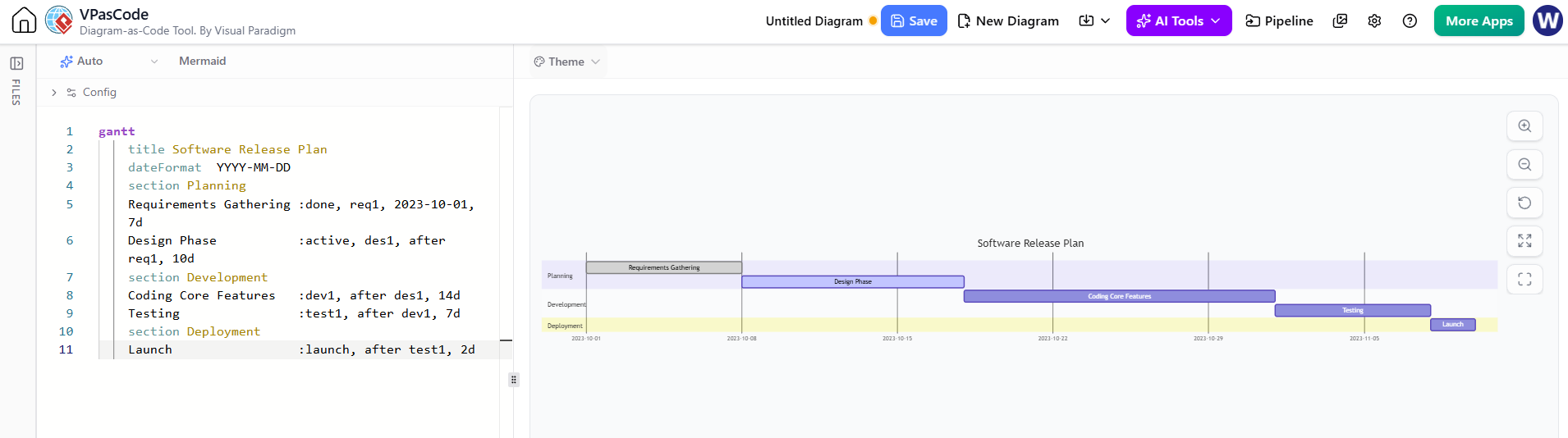
gantt
    title Software Release Plan
    dateFormat  YYYY-MM-DD
    section Planning
    Requirements Gathering :done, req1, 2023-10-01, 7d
    Design Phase           :active, des1, after req1, 10d
    section Development
    Coding Core Features   :dev1, after des1, 14d
    Testing                :test1, after dev1, 7d
    section Deployment
    Launch                 :launch, after test1, 2d
Conclusion
Diagramming doesn’t have to be a bottleneck in your development or product management workflow. With VPasCode, you gain access to a powerful, free, and intelligent online Mermaid editor that bridges the gap between text and visualization. By leveraging live rendering, comprehensive syntax support, and advanced AI features like automatic generation, syntax correction, and translation, you can create professional-grade diagrams faster than ever before.
Whether you are a solo developer documenting a side project, a product manager mapping out user journeys, or an enterprise architect designing complex systems, VPasCode provides the tools you need to communicate clearly and efficiently. Plus, with its seamless integration into the Visual Paradigm suite, your diagrams can easily become part of a larger, living documentation ecosystem.
Ready to transform your ideas into visuals? Begin with Our Free Mermaid Editor today and experience the future of diagram-as-code.
