Mastery of BPMN Control Flow: Decoding Sequence vs. Message Flow
In the complex world of Business Process Model and Notation (BPMN), the ability to accurately depict how work moves through a system is paramount. Visual Paradigm BPMN tools provide the canvas for this, but the true art lies in distinguishing between the two fundamental types of connectors: Sequence Flow and Message Flow. While both utilize arrows to indicate direction, they serve vastly different architectural purposes. Confusing them can lead to models that are syntactically correct but semantically meaningless.
This tutorial explores the technical nuances of these flows, guiding you from basic definitions to advanced modeling strategies using Visual Paradigm’s AI-assisted features.
The Architecture of Control: Sequence Flow
The Sequence Flow is the lifeblood of a BPMN diagram. It represents the order in which activities occur within a specific process. Think of it as the script for a play; it dictates exactly which actor speaks next and what action follows.
- Scope: Sequence flows are strictly contained within a single Participant (Pool). They manage the internal logic of a single entity.
- Visual Syntax: In Visual Paradigm, these are rendered as solid lines with a solid arrowhead. This visual weight signifies certainty and direct control.
- Logic Type: It represents deterministic control flow. If the previous task is “Approve,” the sequence flow leads directly to the next task “Archive.” There is no ambiguity about the next step.
When modeling in Visual Paradigm, the Sequence Flow is often the default connection type. It connects:
- Start Events to Tasks.
- Tasks to Gateways (decision points).
- Gateways to subsequent Tasks or Events.
- Intermediate Events to End Events.
The Architecture of Communication: Message Flow
While Sequence Flow handles the internal “What happens next?”, Message Flow handles the external “Who communicates with whom?”. This is the critical link in cross-functional processes where different organizations or departments interact.
- Scope: Message flows typically connect separate Participants. They cross the boundary of a Pool, symbolizing that the data is leaving the control of one process and entering another.
- Visual Syntax: These are distinctively rendered as dashed lines with an open arrowhead and often a sender marker (a small circle). The dashed line visually represents the “network” or “channel” nature of the communication, distinguishing it from the internal “assembly line” of a sequence flow.
- Logic Type: It represents asynchronous or synchronous data exchange. A message flow does not imply that the receiving process will immediately act; it simply signifies that information has been transmitted.
Key use cases for Message Flow include:
- Customer sending an Order to a Sales Department.
- System A triggering a notification to System B.
- A manager approving a request from an employee in a different pool.
Visual Paradigm Implementation Strategy
When utilizing Visual Paradigm for high-level discussions or AI-assisted modeling, understanding the distinction is vital for generating accurate diagrams.
If you are defining a process where the Customer places an order:
- The Customer Pool: The flow from “Create Order” to “Submit Order” is a Sequence Flow (Solid Line). This is internal to the customer’s workflow.
- The Interaction: The line connecting “Submit Order” (Customer Pool) to “Receive Order” (Vendor Pool) is a Message Flow (Dashed Line). This crosses the pool boundary.
Visual Paradigm enforces these rules strictly. Attempting to draw a Sequence Flow between two different Pools will often result in an error or an invalid diagram, ensuring your model adheres to BPMN standards.
Summary of Differences
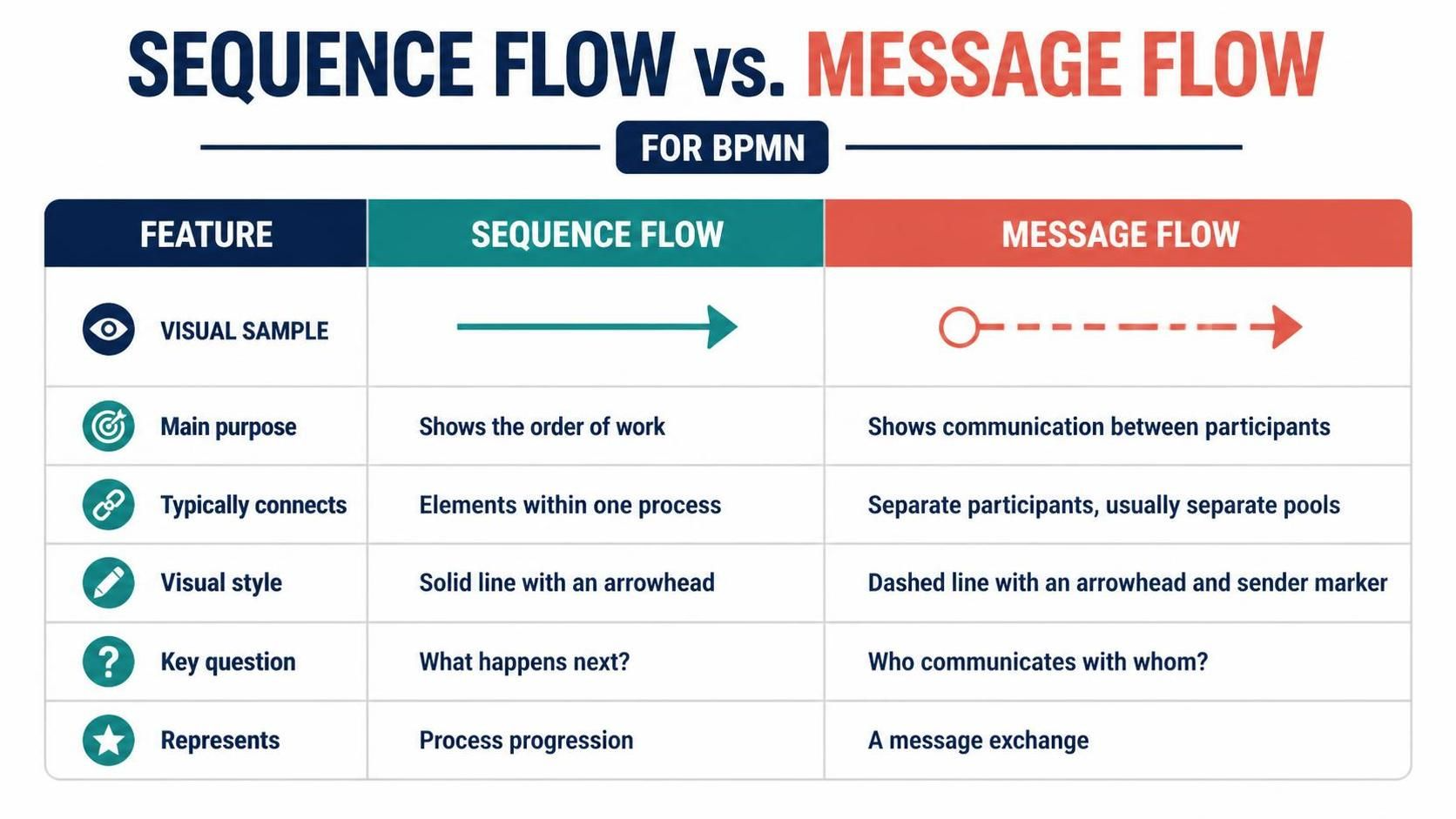
| Feature | Sequence Flow | Message Flow |
|---|---|---|
| Main Purpose | Shows the order of work | Shows communication between participants |
| Typically Connects | Elements within one process | Separate participants, usually separate pools |
| Visual Style | Solid line with an arrowhead | Dashed line with an arrowhead and sender marker |
| Key Question | “What happens next?” | “Who communicates with whom?” |
| Represents | Process progression | A message exchange |