
Mastering BPMN Artifacts: Groups and Annotations for Process Clarity
In the world of Business Process Model and Notation (BPMN), precision is paramount. While the core flow of a process is defined by tasks, gateways, and events, real-world business scenarios often require additional context. This is where BPMN Artifacts come into play. Unlike other elements, artifacts add information without changing the actual process flow, serving as the bridge between technical modeling and business understanding.
This tutorial explores two of the most critical artifacts: Groups and Text Annotations. We will analyze their syntax, their visual representation, and their strategic use in modeling complex workflows.
7.1 The Group Artifact: Visual Organization
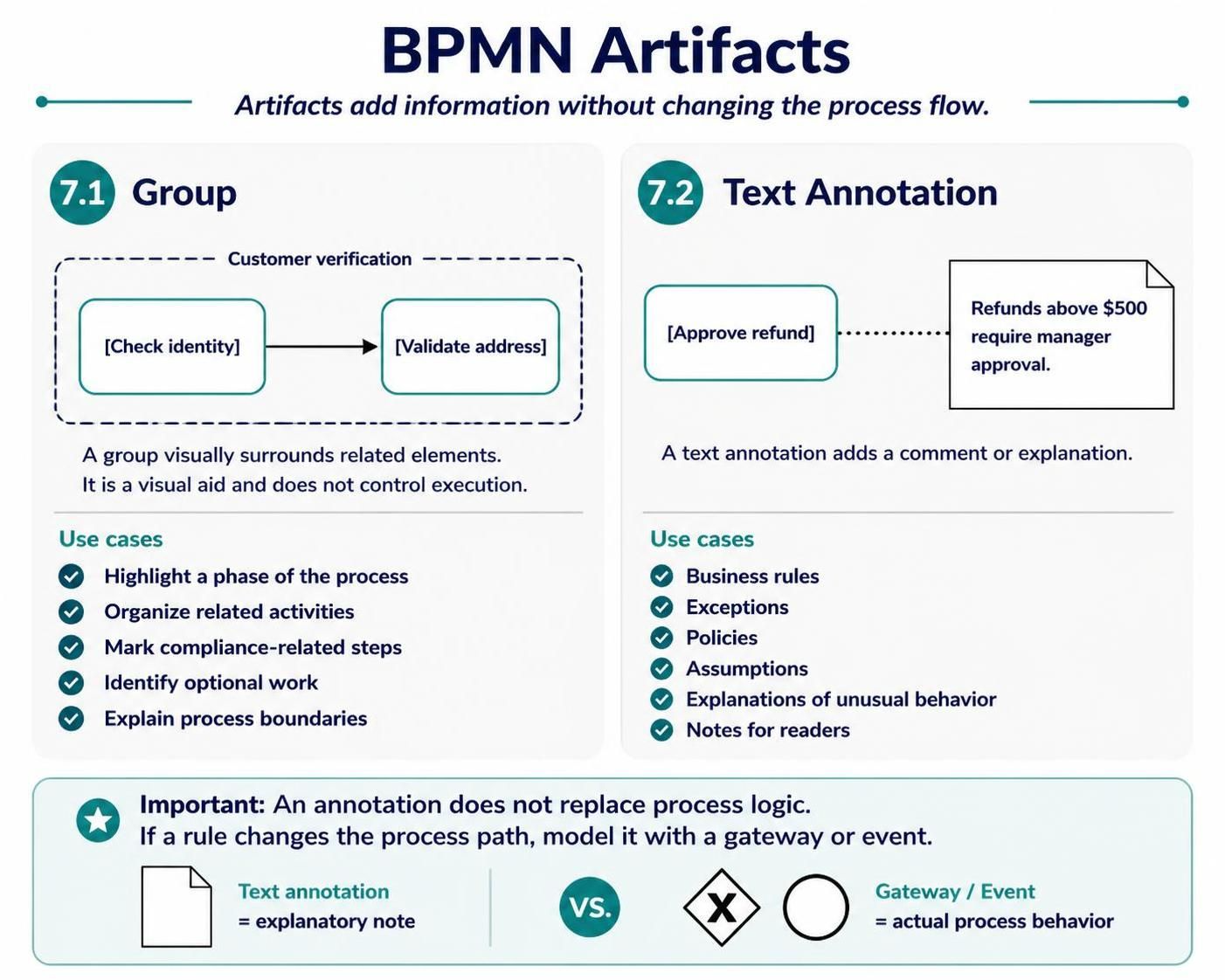
A Group is a non-executing element used to visually surround and organize related elements. It is represented by a dashed rounded rectangle. Crucially, a Group is a visual aid only; it does not control the execution of the process or imply that the enclosed elements must be executed together.
Visual Syntax
When constructing a BPMN diagram, a Group is used to encapsulate a set of activities. Consider the following logic for a customer verification phase:
Group: Customer Verification
  - [Task: Check Identity]
  - [Task: Validate Address]
In the diagram, this would appear as a dashed box labeled “Customer verification” containing the two tasks, with a connecting arrow between them.
Strategic Use Cases
Why use a Group? It is primarily used for documentation and compliance. You should utilize Groups to:
- Highlight a phase of the process: Visually group tasks that belong to a specific stage of a larger lifecycle.
- Organize related activities: Reduce visual clutter by grouping tasks that logically belong together.
- Mark compliance-related steps: Indicate areas where specific regulatory checks must occur.
- Identify optional work: Show which parts of a process are discretionary.
- Explain process boundaries: Define where a specific sub-process begins and ends.
7.2 Text Annotation: Adding Context
While Groups organize structure, Text Annotations add semantic meaning. An annotation is a note attached to an element (via a dotted line) that provides a comment, explanation, or rule. It is depicted as a rectangle with a folded corner, visually resembling a document or sticky note.
Visual Syntax
Annotations are linked to specific tasks or gateways. For example, if a refund task has a specific monetary threshold, you would attach an annotation to explain the rule.
Task: [Approve Refund]
Annotation: "Refunds above $500 require manager approval."
When to Use Annotations
Annotations are essential for capturing business logic that does not change the path of the process. They are ideal for:
- Business Rules: Specific constraints (e.g., “Must be signed by a Director”).
- Exceptions: Handling scenarios that do not fit the main flow.
- Policies: Corporate mandates that affect the operation.
- Assumptions: Conditions assumed to be true for the model to hold.
- Explanations of unusual behavior: Clarifying why a specific step exists.
- Notes for readers: General context for stakeholders reviewing the diagram.
Critical Distinction: Annotation vs. Logic
The most common mistake in BPMN modeling is confusing an Annotation with actual Process Logic. It is vital to understand the difference between an explanatory note and a decision point.
- Text Annotation: This is a note. It explains a rule but does not stop the process. It is passive.
- Gateway / Event: If a rule changes the process path (e.g., “If refund > $500, go to Manager; otherwise, go to Finish”), you must model this using a Gateway or an Event. This is active logic.
IMPORTANT: An annotation does not replace process logic.
If a rule changes the process path, model it with a gateway or event.

[Annotation Icon] = explanatory note
VS.
[X Gateway] [Event] = actual process behavior
Conclusion
Mastering BPMN Artifacts is the key to creating diagrams that are not only technically accurate but also communicative. By using Groups to organize your workflow and Text Annotations to clarify complex rules, you ensure your models are accessible to all stakeholders. However, always remember that artifacts are for explanation, not execution; for actual decision-making, you must rely on gateways and events.
For optimal modeling efficiency and accuracy, we highly recommend using Visual Paradigm BPMN as your primary tooling. Its robust feature set allows for seamless integration of these artifacts. Furthermore, leveraging AI capabilities within such environments can significantly accelerate the creation of complex process maps, ensuring consistency and reducing manual errors.