
VP Unified Platform: Hybrid Modeling with AI-Driven Synchronization
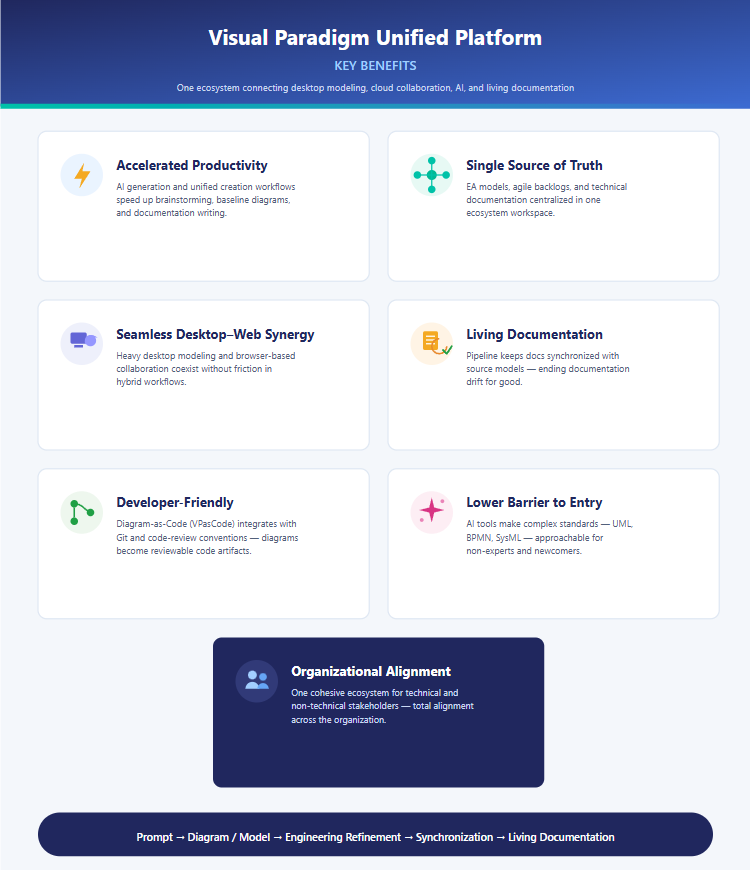
The modern software engineering landscape demands flexibility. Engineers need the raw power of desktop modeling tools for complex logic, while stakeholders require the accessibility of web browsers for collaboration. The Visual Paradigm Unified Platform bridges this gap, creating a cohesive ecosystem where local artifacts and cloud collaboration coexist seamlessly.
In this tutorial, we will deconstruct the architecture of the Unified Platform, exploring how it utilizes a hybrid workflow to accelerate productivity, ensure a single source of truth, and generate living documentation.
1. The Hybrid Architecture: Bridging Desktop and Cloud
The core innovation of the Unified Platform lies in its ability to synchronize two distinct environments without friction. This architecture allows you to choose the right tool for the specific phase of your modeling process.
Accessing the Platform
There are two primary entry points into the Unified Platform ecosystem, both designed to maintain context:
- From the Browser: Users log into the official VP Online portal. Upon successful authentication, the system automatically redirects the user to the Unified Platform Dashboard. This is ideal for reviewing, sharing, and lightweight editing.
- From Visual Paradigm Desktop: Power users access the platform via the menu bar:
Team / Unified Platform > Unified Platform. Once connected, the desktop client pulls your locally saved diagrams directly into the central artifact list alongside cloud-based files.
This “dual-entry” approach ensures that heavy modeling remains local (on your machine) while collaboration happens centrally (in the cloud).
2. The Typical Hybrid Workflow
Understanding the architecture is one thing; applying it is another. The platform encourages a specific workflow that leverages AI, local refinement, and automated synchronization.
Step 1: AI-Driven Baseline Generation
Start the process with speed. Instead of drawing from a blank canvas, use AI or VPasCode to generate a baseline diagram from a simple text prompt. This instantly creates a structural skeleton for your UML, BPMN, SysML, or ArchiMate model.
Step 2: Engineering Refinement (Desktop)
Move to the Visual Paradigm Desktop environment to refine the AI-generated baseline. Here, you apply deep engineering logic, ensuring the model adheres to strict standards and complex business rules.
Step 3: Centralized Synchronization
Once the model is saved to the appropriate local or connected repository, open the Unified Platform (via Desktop or Browser). Your model now appears in the Central Artifact List. This list acts as the “Single Source of Truth,” unifying EA models, agile backlogs, and technical documentation in one workspace.
Step 4: Collaboration and Living Documentation
Share the model via VP Online for stakeholder collaboration. Finally, utilize the Pipeline to publish to OpenDocs. This step is critical: it ensures that documentation remains synchronized with the source model, effectively ending “documentation drift.”
3. Key Architectural Benefits
The Unified Platform is not just a storage solution; it is an ecosystem designed to solve specific engineering pain points.
Accelerated Productivity
By integrating AI generation and unified workflows, the platform significantly reduces the time spent on brainstorming and baseline diagram creation. You spend less time drawing and more time designing.
Seamless Desktop–Web Synergy
Traditionally, heavy desktop modeling and browser-based collaboration exist in silos. The Unified Platform allows these to coexist without friction, meaning you don’t have to “export” to share or “import” to edit.
Developer-Friendly Integration
The platform embraces the “Diagram-as-Code” philosophy. Through VPasCode, diagrams integrate with Git and code-review conventions. This means diagrams become reviewable code artifacts, subject to the same version control rigor as software code.
4. Lowering the Barrier to Entry
Complex modeling standards like UML, BPMN, and SysML often require years of training to master. The Unified Platform utilizes AI tools to make these complex standards approachable for non-experts. This democratization allows for better organizational alignment, creating a cohesive ecosystem where technical and non-technical stakeholders can collaborate effectively.
Summary
The Visual Paradigm Unified Platform represents the future of model-driven engineering. By combining the power of AI, the precision of desktop modeling, and the accessibility of the cloud, it creates a workflow where Prompt → Diagram/Model → Engineering Refinement → Synchronization → Living Documentation is a seamless, automated reality.